
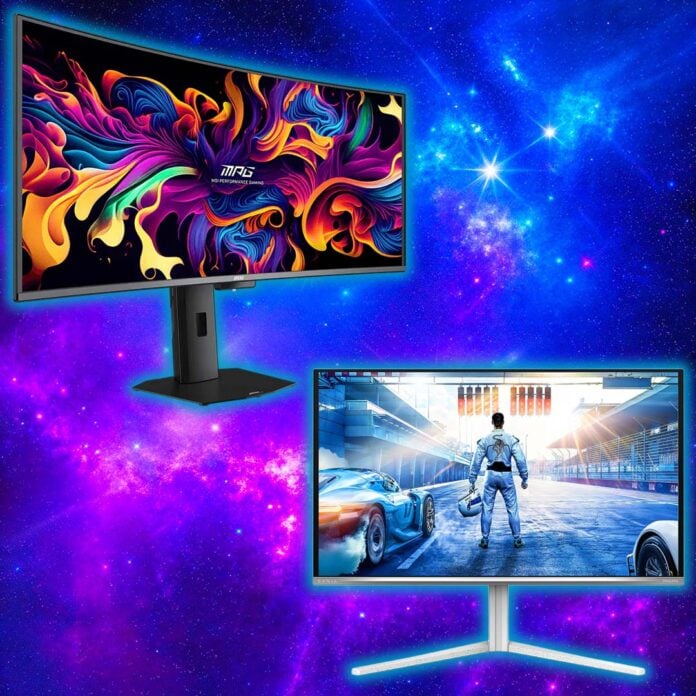
IIn this buying guide, we’ll help you find the best gaming monitor for your needs, drawing on our catalogue of reviews, hands-on testing, and decades’ worth of experience as both gamers and professional testers. There’s a dizzying number of panel shapes, sizes, and types through which to sort, and that’s before we even dive into their specifications. Finding the right screen for your PC doesn’t have to be difficult, but we’re here to help you transform your setup with the right one.
As the number of OLED gaming monitors hitting store shelves grows by the day, so too does the affordability of this formerly premium technology, with some models now fighting for dominance against similarly priced LCDs. However, there are still reasons to consider IPS panels, particularly on the budget end of the scale, and you may be surprised to learn just how good a display your cash can buy in the current market.
Gaming monitors can be a part of your system for several years, serving you across multiple component upgrades. As such, it’s wise to view them as a long-term investment, so don’t be afraid to get a little ambitious with resolutions or refresh rates if you’re planning a PC upgrade or two in the near future. Regardless of your display desires, there’s a screen out there that’s exactly what your setup needs. Here are the best models we’ve tested and reviewed that you can pick up today.
Best gaming monitor shortlist
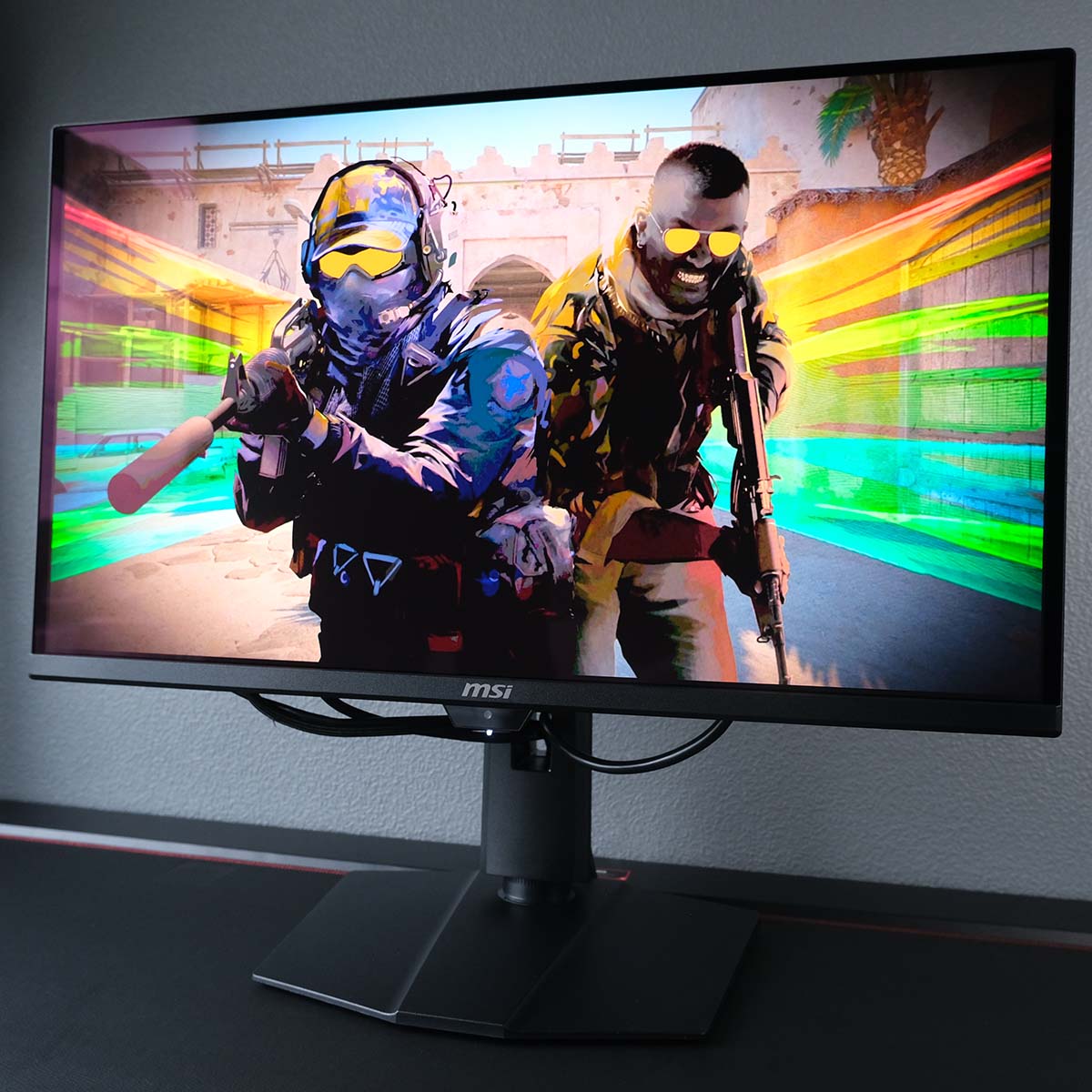
MSI MPG 271QR QD-OLED X50
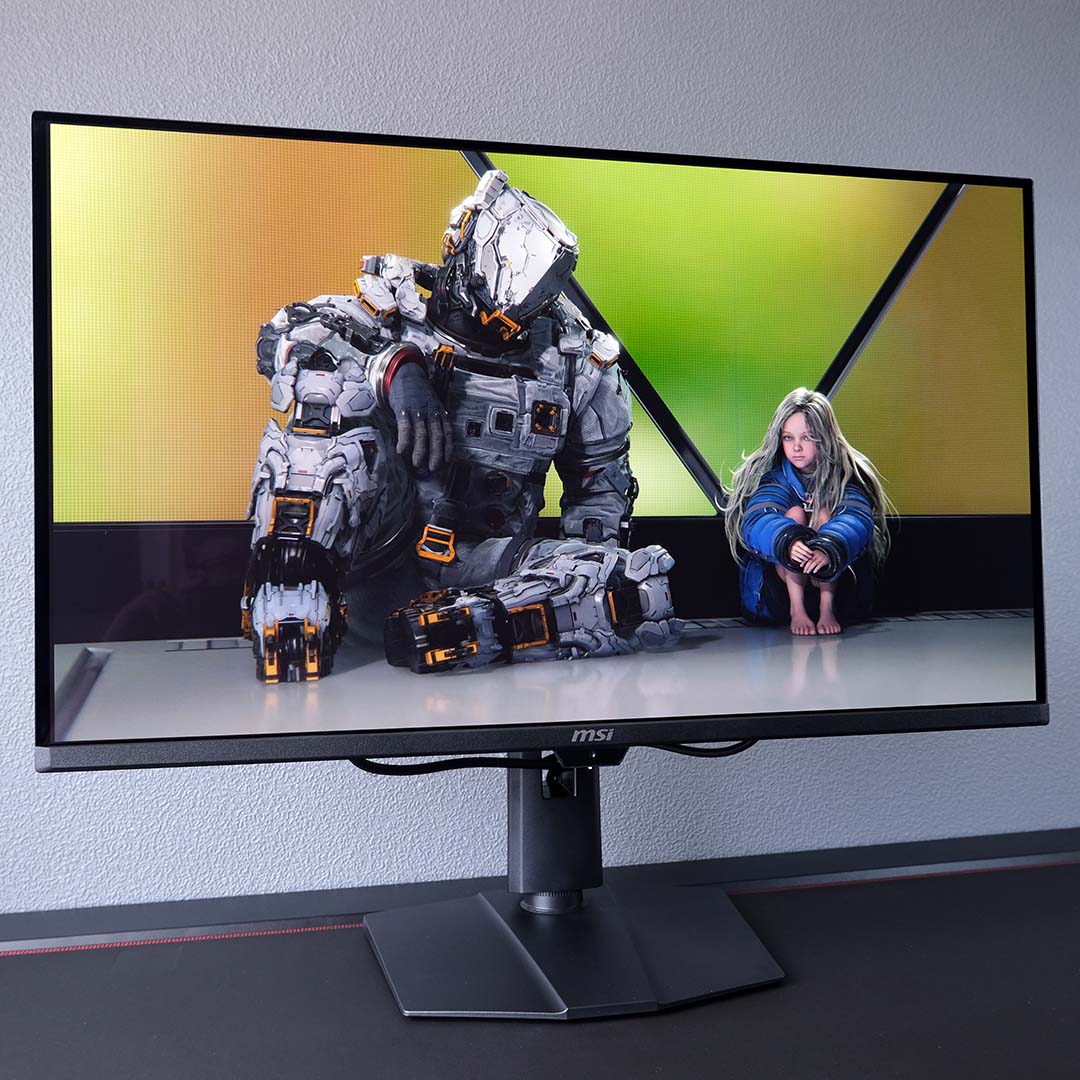
MSI MPG 322UR QD-OLED X24
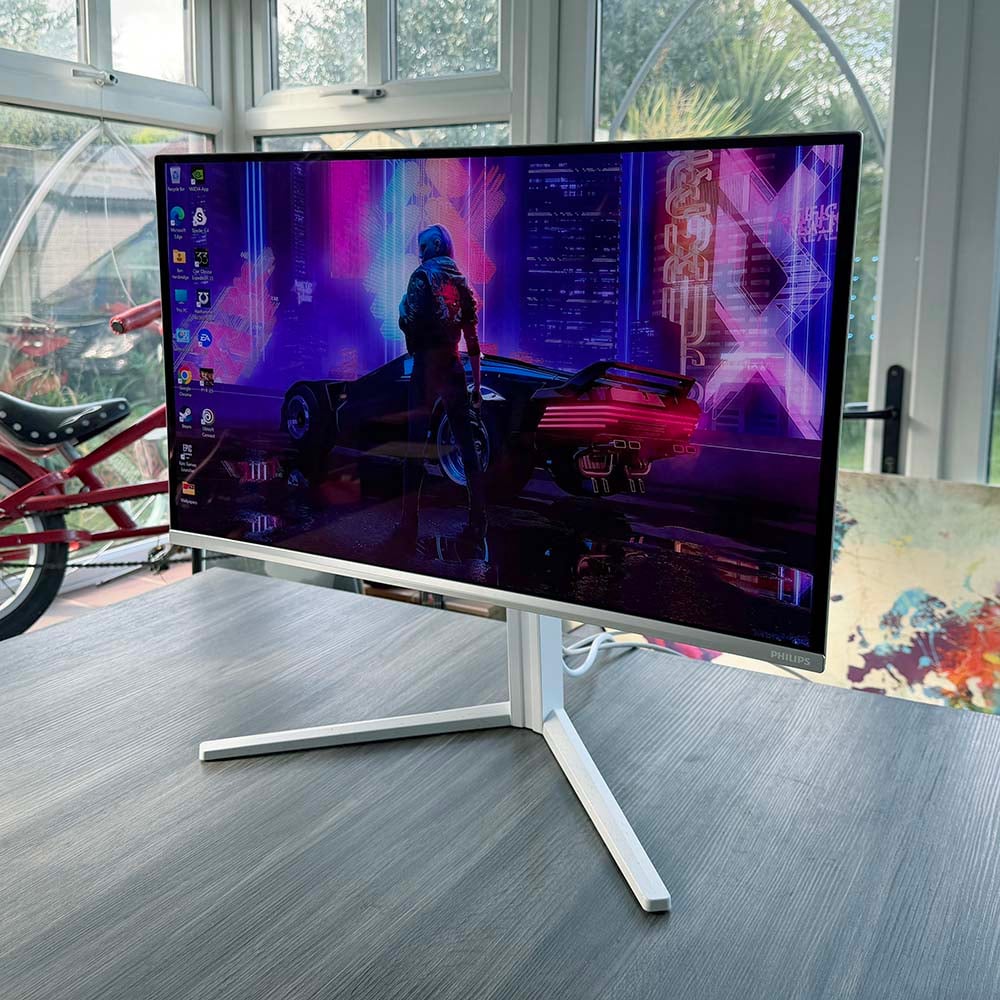
Philips Evnia 27M2N6501L
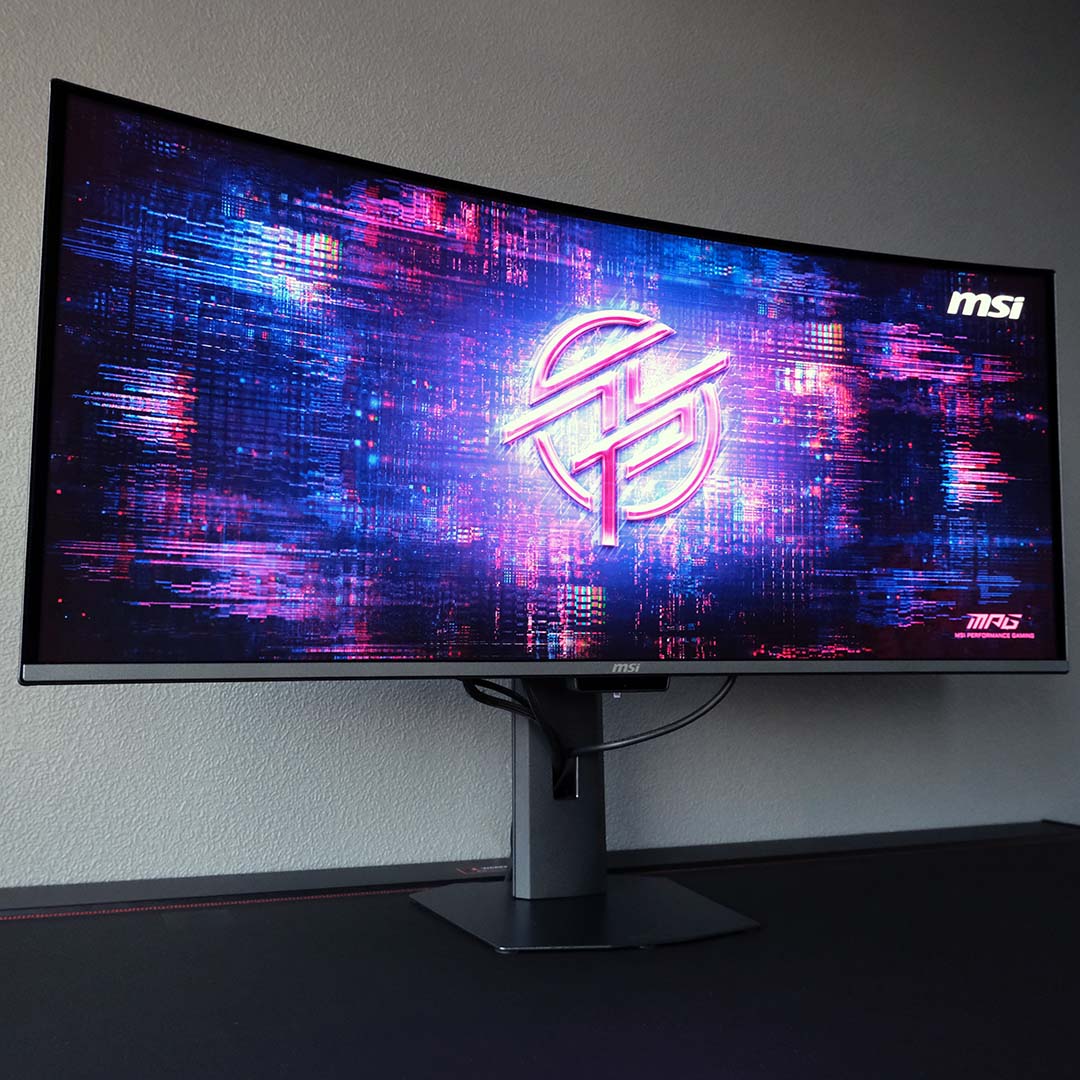
MSI MPG 341CQR QD-OLED X36
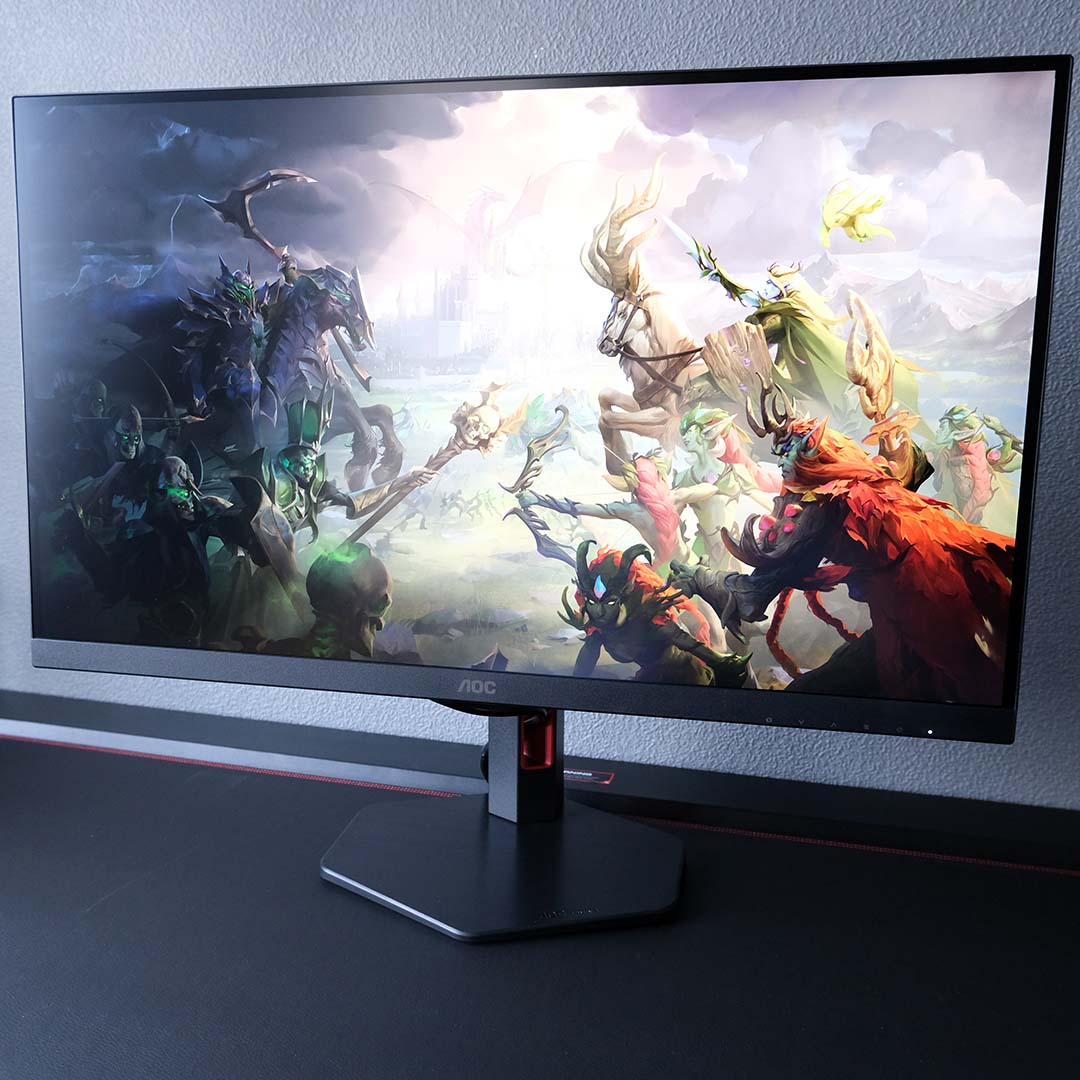
AOC Q27G4ZR
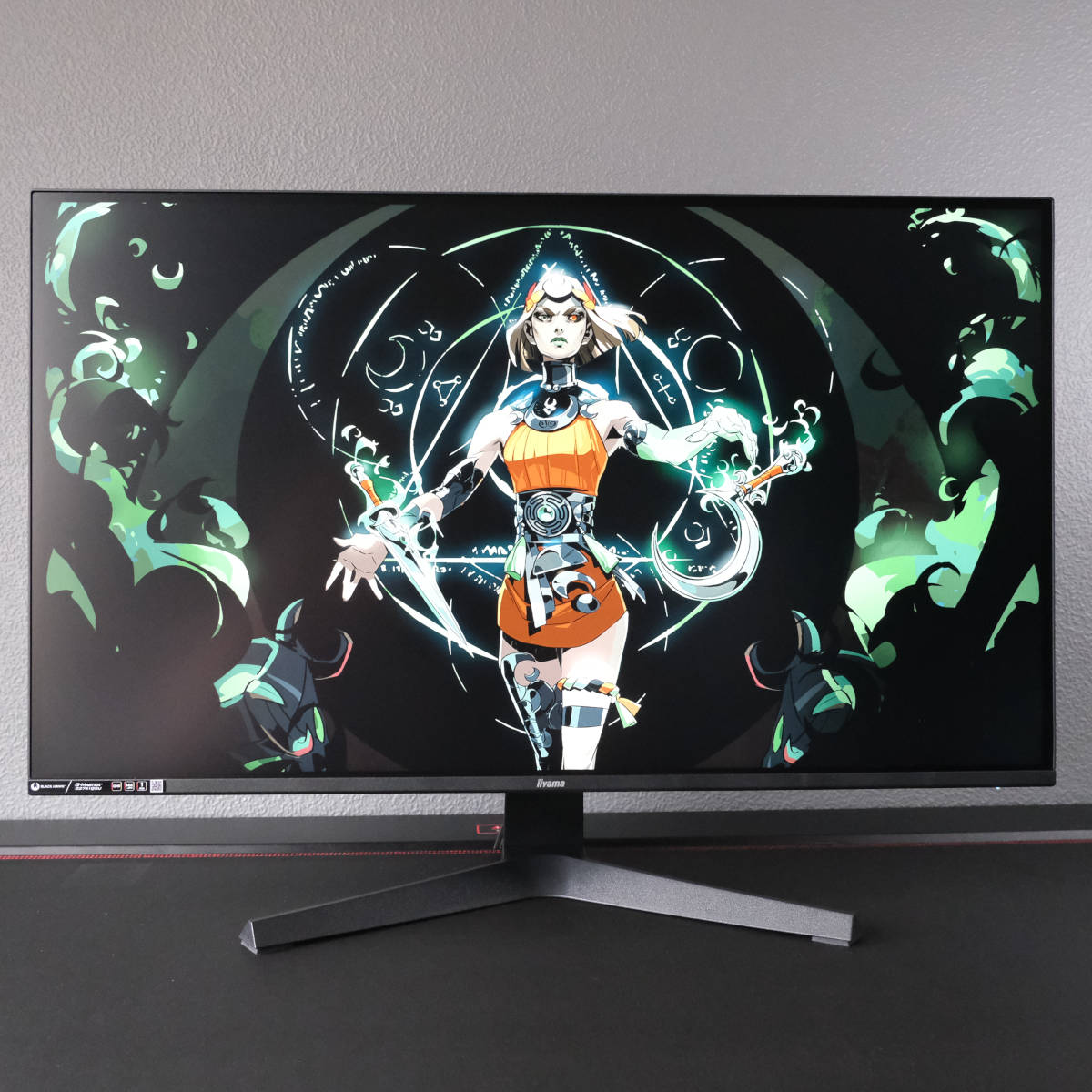
iiyama G-Master G2741QSU-B1
In detail
Best overall
The best gaming monitor overall is the MSI MPG 271QR QD-OLED X50. Sporting a 27in QD-OLED panel that runs at a blisteringly fast 500Hz, QHD displays don’t get much better than this. While this screen once commanded a hefty sum, it’s since fallen from its original £900 price point to just £539 at the time of writing, making it a bargain for the specifications on offer.
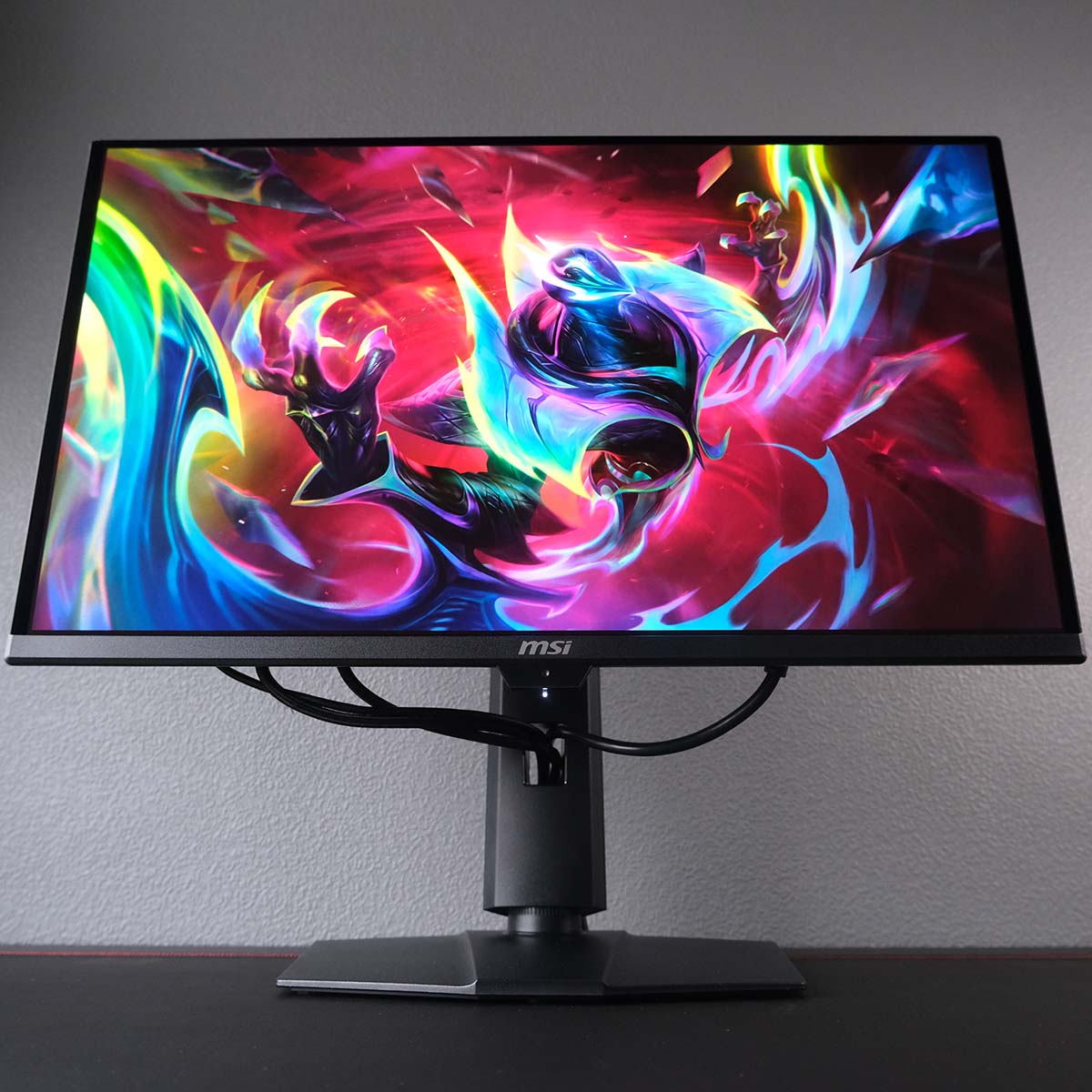

MSI MPG 271QR QD-OLED X50
$799 / £539
Pros
- QHD/500Hz combo
- Bright QD-OLED panel
- Versatile feature and port selection
- Excellent price now
Cons
- Text fringing
Club386 may earn an affiliate commission when you purchase products through links on our site.
How we test and review products.
The main draw of the MPG 271QR QD-OLED X50 is undoubtedly its 500Hz refresh rate. Playing games at 500fps is a tall ask, but the motion clarity this display offers if you can hit that target frame rate is simply sublime. We’re talking frame times of 2ms, making it all the easier to track targets in competitive titles, including Counter-Strike 2 and League of Legends to name a few.
Of course, the MPG 271QR QD-OLED X50 proves a dab hand in single-player titles too. There’s no risk of ghosting or overshoot on this monitor thanks to near-instant pixel response times, which remain consistently fast across its refresh rate range. You simply won’t find an experience like this on an LCD.
However, it’s worth noting that because the MPG 271QR QD-OLED X50 launched in 2025, it doesn’t arrive with the new ‘RGB Stripe’ subpixel design that current generation panels enjoy. As such, you should expect some fringing artefacts around text elements, but the amount this will prove distracting varies between users. If you can look past that, there are no other major downsides to this monitor.
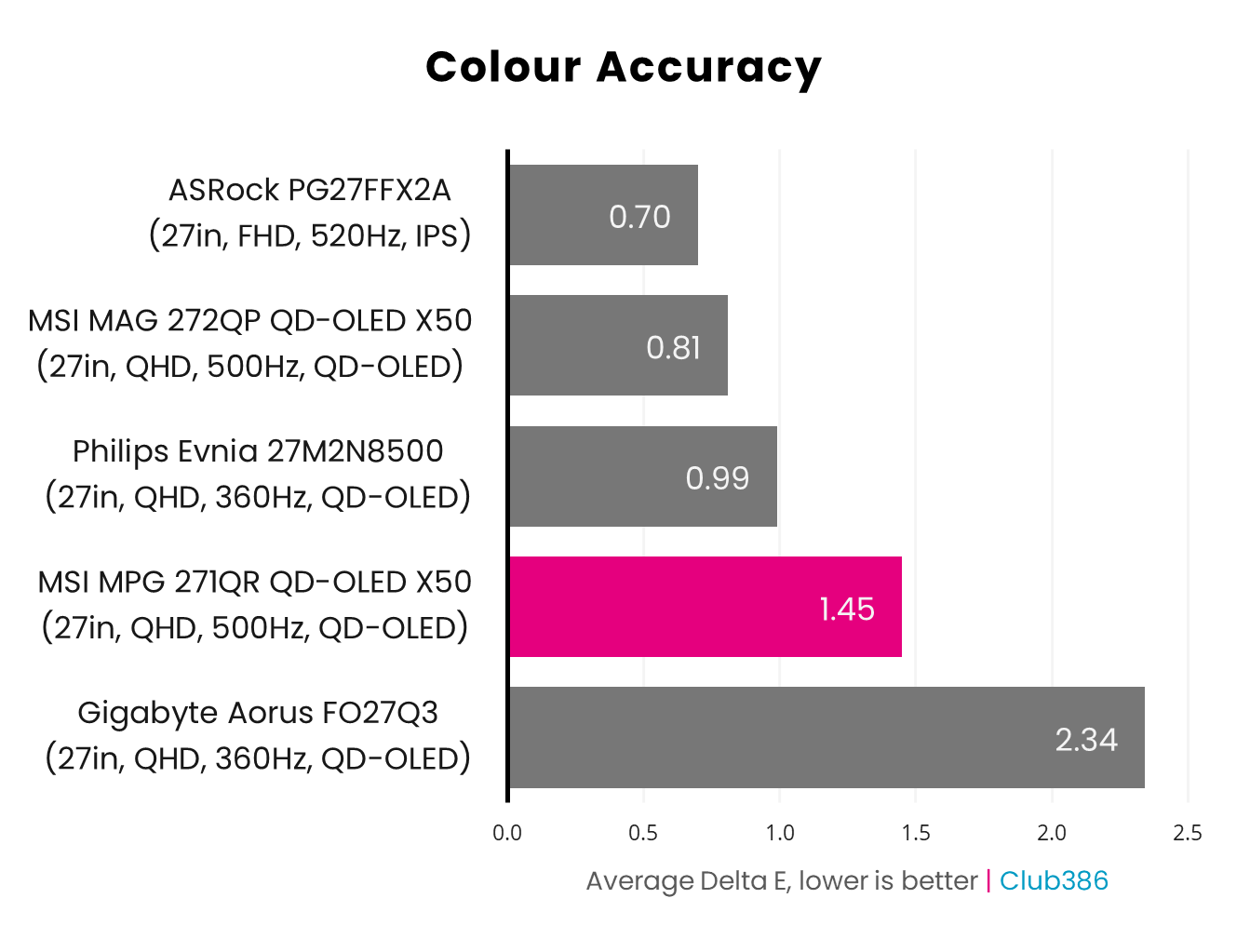
This screen isn’t all about speed, though. Its gamut is also excellent, faithfully reproducing 99% of the DCI-P3 colour space, and 95% of Adobe RGB. Colour accuracy is excellent too, with an average Delta E of 1.45 out of the box, and just 0.56 after we raised the brightness from 70 to 100%.
That self-emissive QD-OLED panel is wonderfully uniform too, as there’s no backlight. You can expect up to 357nits in SDR from this monitor, making the MPG 271QR QD-OLED X50 one of the brightest we’ve ever tested. It also comes complete with VESA DisplayHDR True Black 500 certification, making it a wonderful choice for HDR content.
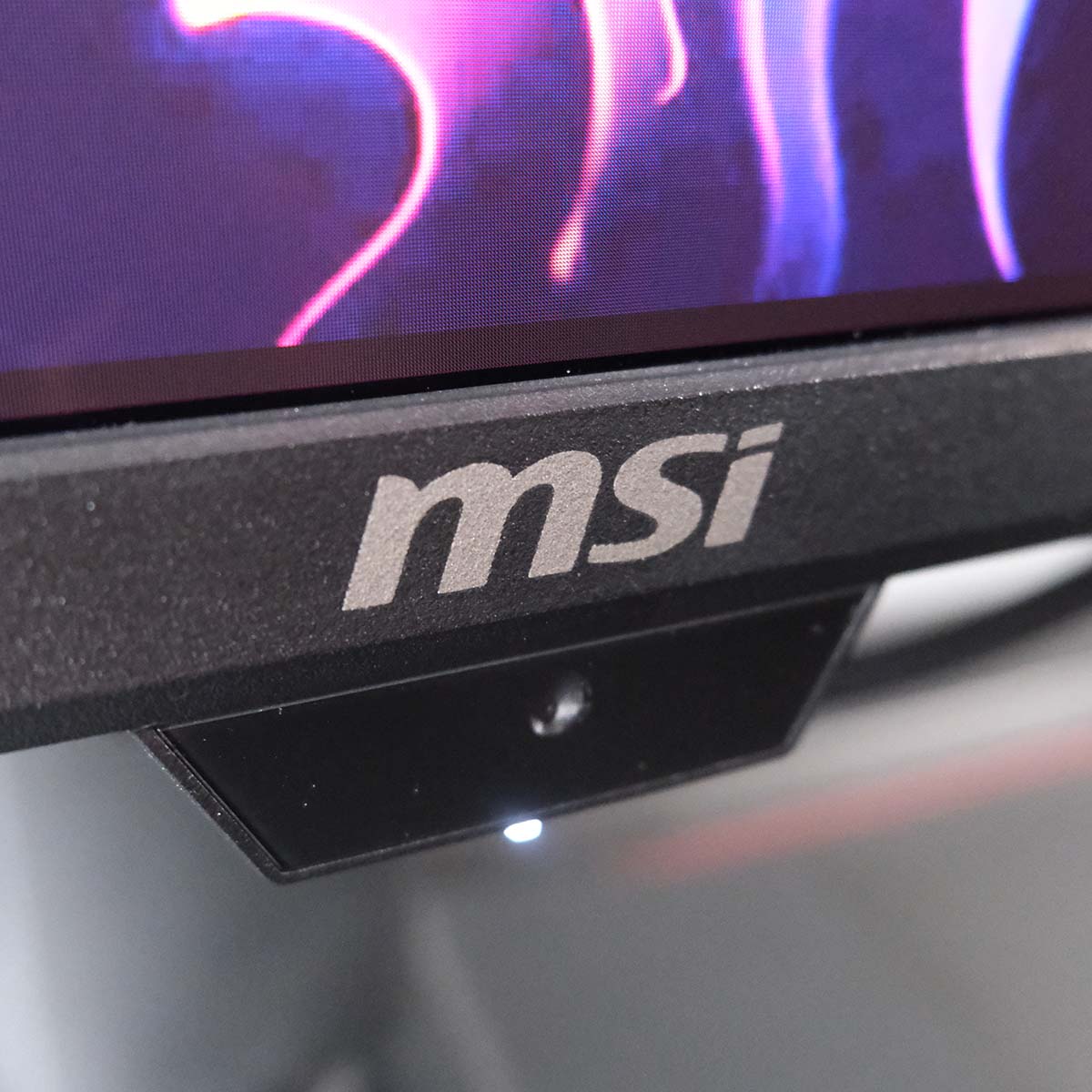
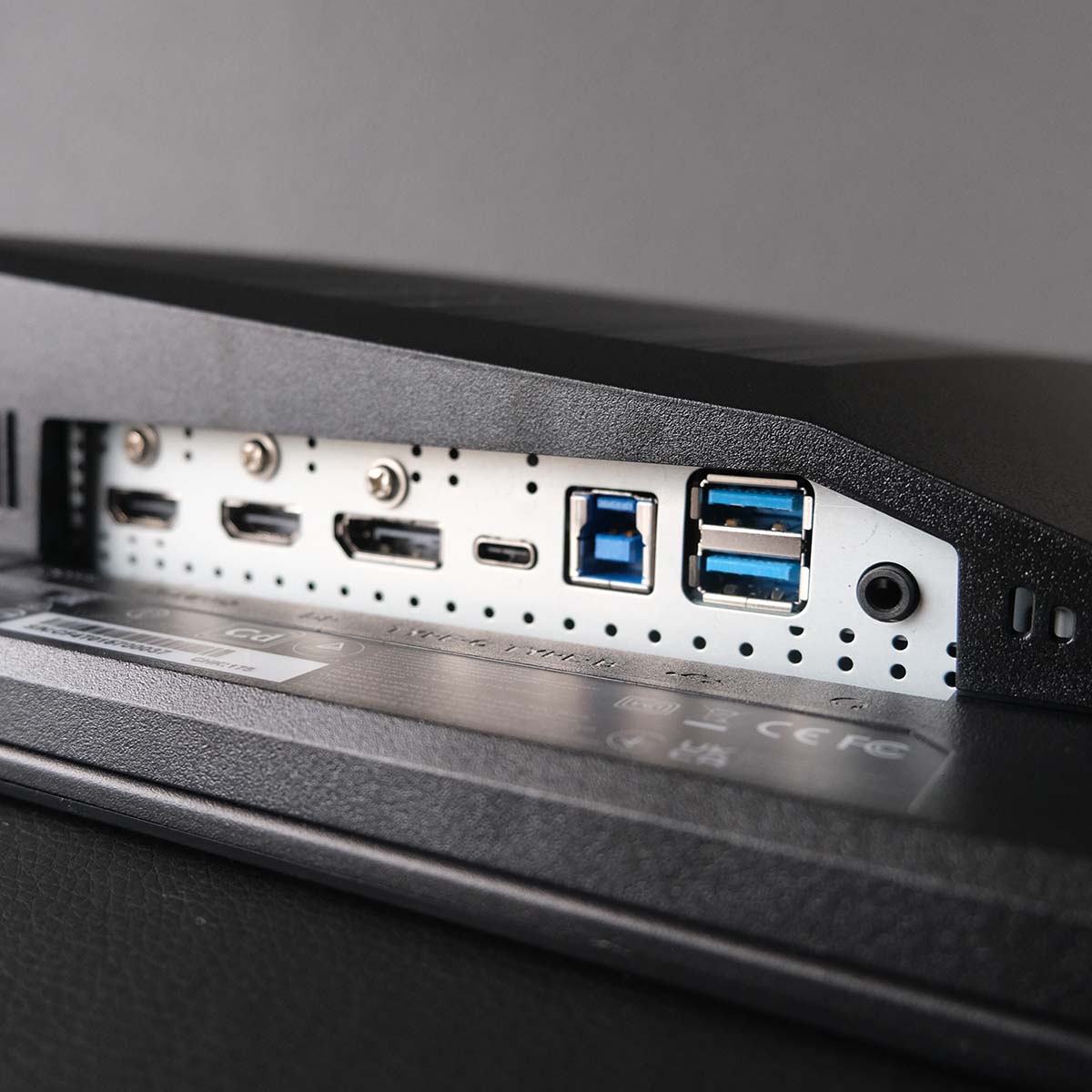
There are plenty of features and connections on the MPG 271QR QD-OLED X50 as well. Chief among them is MSI’s ‘AI Care Sensor’, which helps prolong panel longevity through automatic standby prompted by presence detection. You’ll also find two USB ports for peripherals, which can run across two systems via the built-in KVM.
As you might expect from a panel with such a high refresh rate, power consumption is on the higher side at 85W. While that’s not the highest reading we’ve seen from a QD-OLED, the MPG 271QR remains power hungry relative to WOLED and LCD alternatives.
Read our MSI MPG 271QR QD-OLED X50 review for more detail, including all our test results.
| MSI MPG 271QR QD-OLED X50 | |
|---|---|
| Screen size | 27in |
| Resolution | QHD (2560×1440) |
| Refresh rate | 500Hz |
| Response time | 0.03ms (GtG) |
| Panel technology | QD-OLED |
| Variable refresh rate | AMD FreeSync Premium Pro Nvidia G-Sync compatible |
| HDR | VESA DisplayHDR True Black 500 |
| Ports | 3.5mm audio-out (x1) DisplayPort 2.1a (UHBR20) (x1) HDMI 2.1 (x2) USB-A, downstream (x2) USB-B, upstream (x1) USB Type-C, with 98W PD and DP alt. (x1) |
| Speakers | None |
| Features | AI Care Sensor Console Mode KVM Switch MSI Mystic Light MSI OLED Care 3.0 |
| Warranty | Three years (includes burn-in) |
Best 4K OLED
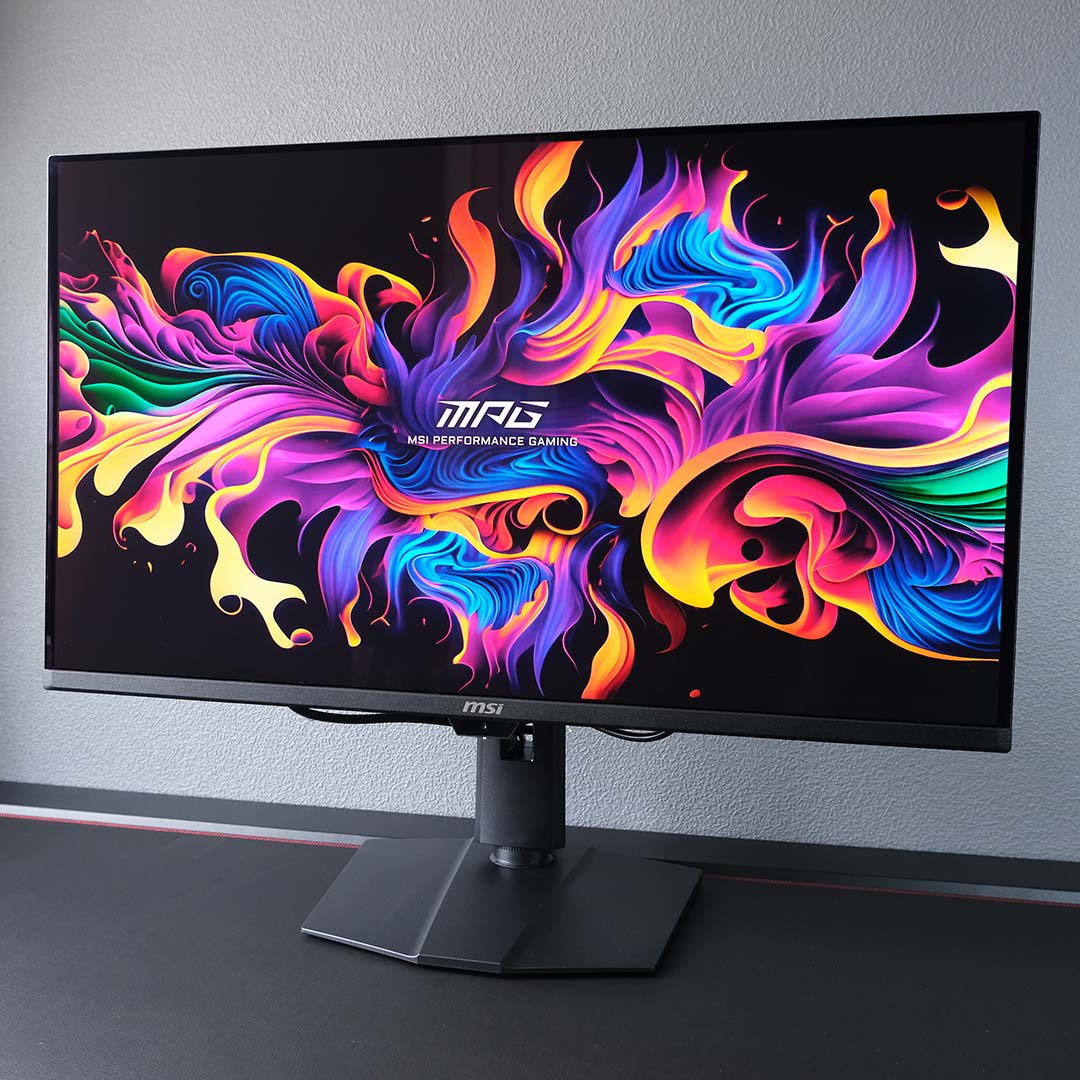
The best 4K OLED gaming monitor is the MSI MPG 322UR QD-OLED X24. Boasting a 32in 4K/240Hz QD-OLED display, this large, sharp screen offers smooth motion and makes an excellent choice for single-player games, as well as a spot of competitive gaming. Importantly, several underlying panel innovations help separate this offering from older models with the same specifications, notably boosting brightness in addition to other welcome improvements.
MSI MPG 322UR QD-OLED X24
£850 / $1,100
Pros
- 4K/240Hz combo
- Penta Tandem QD-OLED panel
- DarkArmor Film coating
- Excellent colour accuracy
- Versatile feature and port selection
Cons
- High power consumption
- Minor text fringing
Club386 may earn an affiliate commission when you purchase products through links on our site.
How we test and review products.
Like other high-end QD-OLED models launching in 2026, the MPG 322UR QD-OLED X24 arrives with a Penta Tandem panel. This technology describes the screen’s five-layer structure, which improves lighting efficiency by up to 30% relative to prior generation designs. In real terms, this translates to higher brightness, with this monitor proving bright enough to achieve VESA DisplayHDR True Black 500 certification and our tests showing it peaking at 345nits in SDR mode.
Also new for 2026 is DarkArmor Film, a screen coating that improves ambient black levels, greatly reducing the purple tint that QD-OLED panels are prone to exhibit under brighter viewing conditions, making for richer contrast. This same feature also improves the MPG 322UR QD-OLED X24’s hardiness relative to earlier monitors of similar specification, making the screen less prone to scratches.
However, it’s important to note that the MPG 322UR QD-OLED X24 doesn’t make the jump to the latest ‘RGB Stripe’ subpixel layout, unlike contemporary QHD and UWQHD models. Instead, the monitor uses the long-standing triangular structure, with green at the top, and red and blue side by side underneath, which can result in fringing artefacts around text. The high pixel density of 4K does help offset this effect, but some may still find the purple-green fringe distracting.
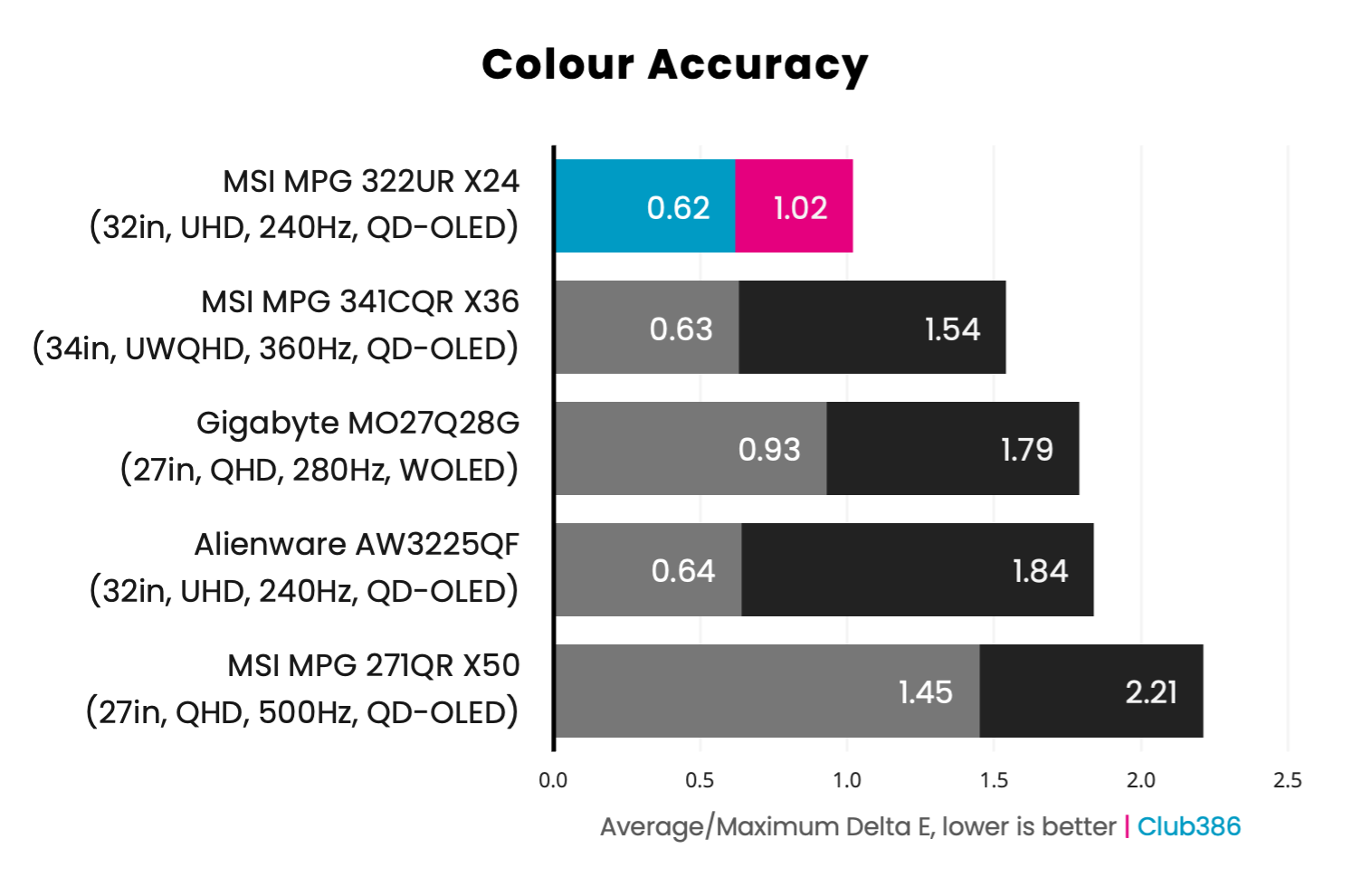
Gamut coverage is excellent on the MPG 322UR QD-OLED X24, covering 99% of the DCI-P3 colour space, as well as 95% of Adobe RGB. The monitor also ranks among the most colour-accurate we’ve ever tested, with a 0.62 Delta E average, peaking at 1.02. In short, this screen is punchy without compromising creative intent.
As a QD-OLED monitor, the MPG 322UR QD-OLED X24 is an ideal choice for HDR. Per-pixel local dimming and perfect black levels make for sublime contrast, allowing highlights to shine all the brighter and darker areas to adopt truly inky-black shadows rather than muddy grey mists.
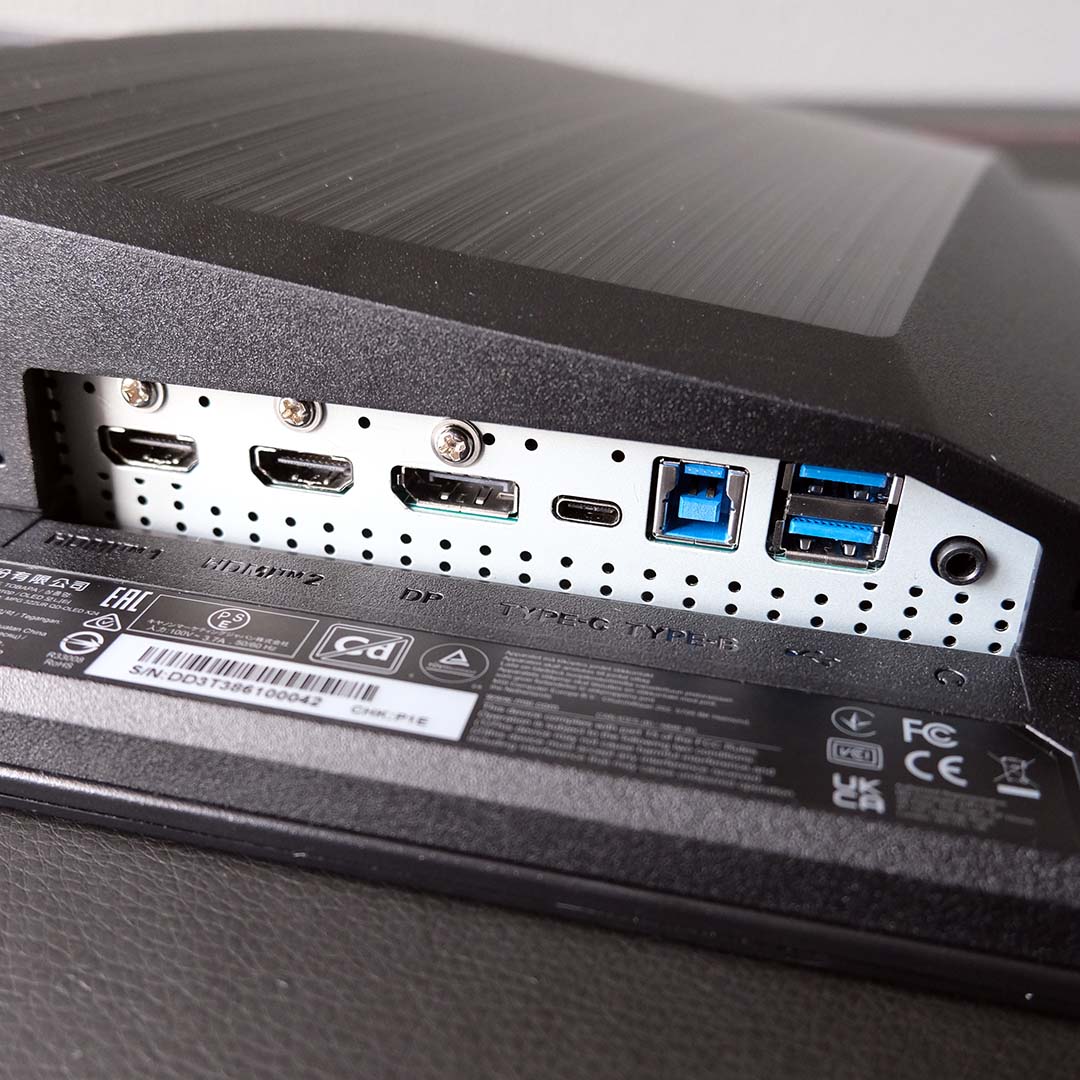
As you’d expect from a high-end monitor, the MPG 322UR QD-OLED X24 arrives with bountiful connections and features. Under the chassis are several USB ports and a KVM switch, as well as high-performance display inputs. This screen also arrives with several burn-in protections that you can control via the OSD, as well as an AI Care Sensor that can help prolong panel lifespan and more.
Just note that all this goodness comes at the cost of relatively high power consumption. While the MPG 322UR QD-OLED X24 remains an efficient monitor, we saw watts from the wall rise all the way up to 135W in our tests, towering over values you’ll see on smaller QD-OLED screens, as well as WOLED and LCD models.
Read our MSI MPG 322UR QD-OLED X24 review for more in-depth analysis.
| MSI MPG 322UR QD-OLED X24 | |
|---|---|
| Screen size | 32in |
| Resolution | UHD (3840×2160) |
| Refresh rate | 240Hz |
| Response time | 0.03ms (GtG) |
| Panel technology | QD-OLED (Penta Tandem) |
| Variable refresh rate | AMD FreeSync Premium Pro |
| HDR | VESA DisplayHDR True Black 500 |
| Ports | 3.5mm audio-out (x1) DisplayPort 2.1a (UHBR20) (x1) HDMI 2.1 (x2) USB-A, downstream (x2) USB-B, upstream (x1) USB Type-C, with 98W PD and DP alt. (x1) |
| Speakers | None |
| Features | AI Care Sensor Console Mode DarkArmor Film KVM Switch MSI Mystic Light MSI OLED Care 3.0 |
| Warranty | Three years (includes burn-in) |
Best value OLED
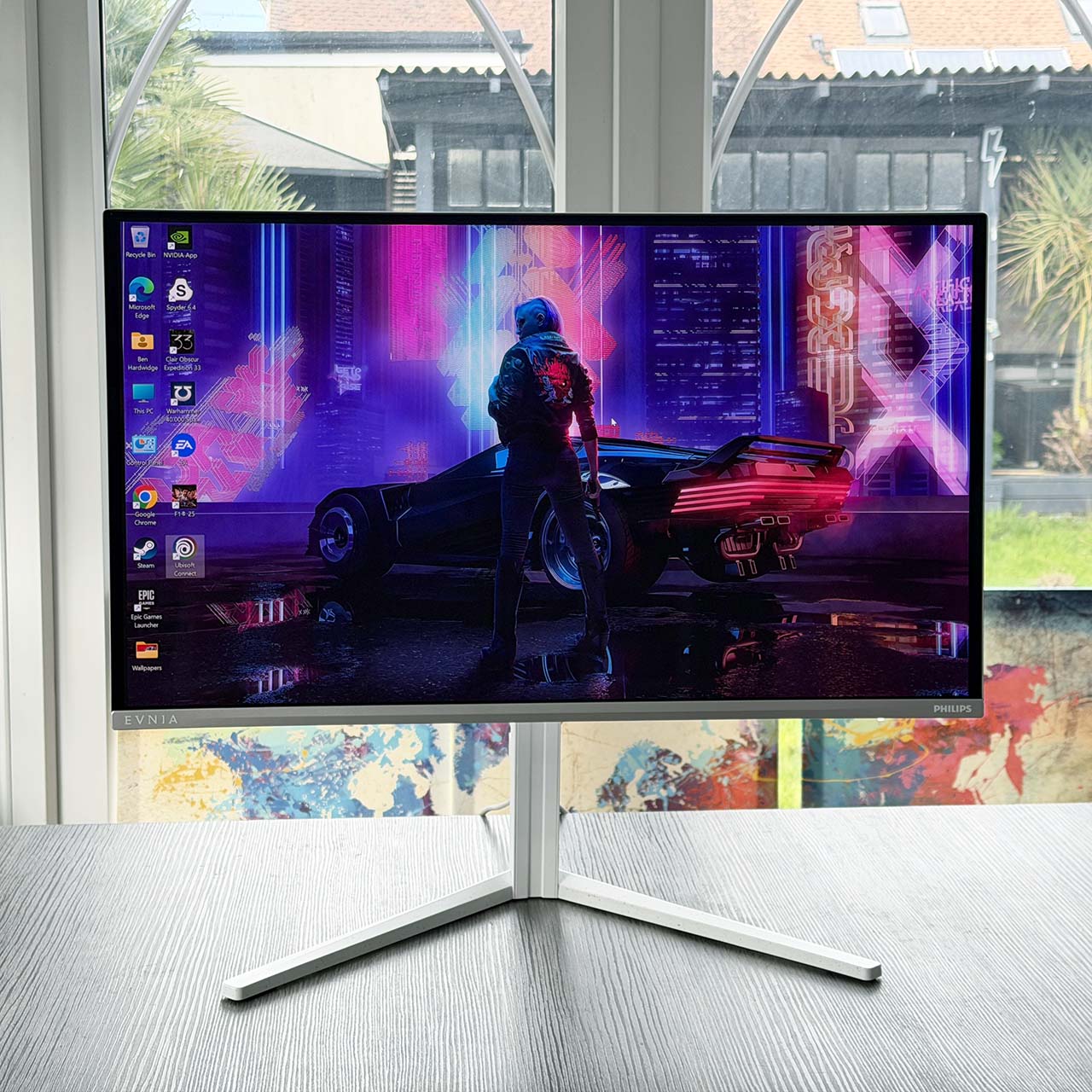
The best value OLED gaming monitor is the Philips Evnia 27M2N6501L. If you’re chasing the splendour of QD-OLED but don’t fancy spending big bucks on your display, this screen balances value and performance to great effect.
Philips Evnia 27M2N6501L
£399
Pros
- QHD/240Hz combo
- Excellent colour accuracy
- Built-in USB hub
- Ambiglow RGB LEDs
- Great value for QD-OLED
Cons
- Low brightness
- Text fringing
Club386 may earn an affiliate commission when you purchase products through links on our site.
How we test and review products.
Retailing for under £400, the Evnia 27M2N6501L adopts an older panel to achieve an enticingly low price. While this approach does come with some trade-offs, such as text fringing, the monitor as a whole remains an undeniably strong package. As such, this display emerges as one of the most affordable paths to owning a QD-OLED gaming screen.
The 27in panel arrives with a QHD (2560×1440) resolution and 240Hz refresh rate, making it a versatile display for competitive and single-player games. Moreover, the near-instant pixel response times of QD-OLED remain consistent regardless of frame rate. This eliminates the risk of ghosting and overshoot, providing a distinct advantage over LCDs, which remain prone to such artefacts owing to their need for overdrive profiles.
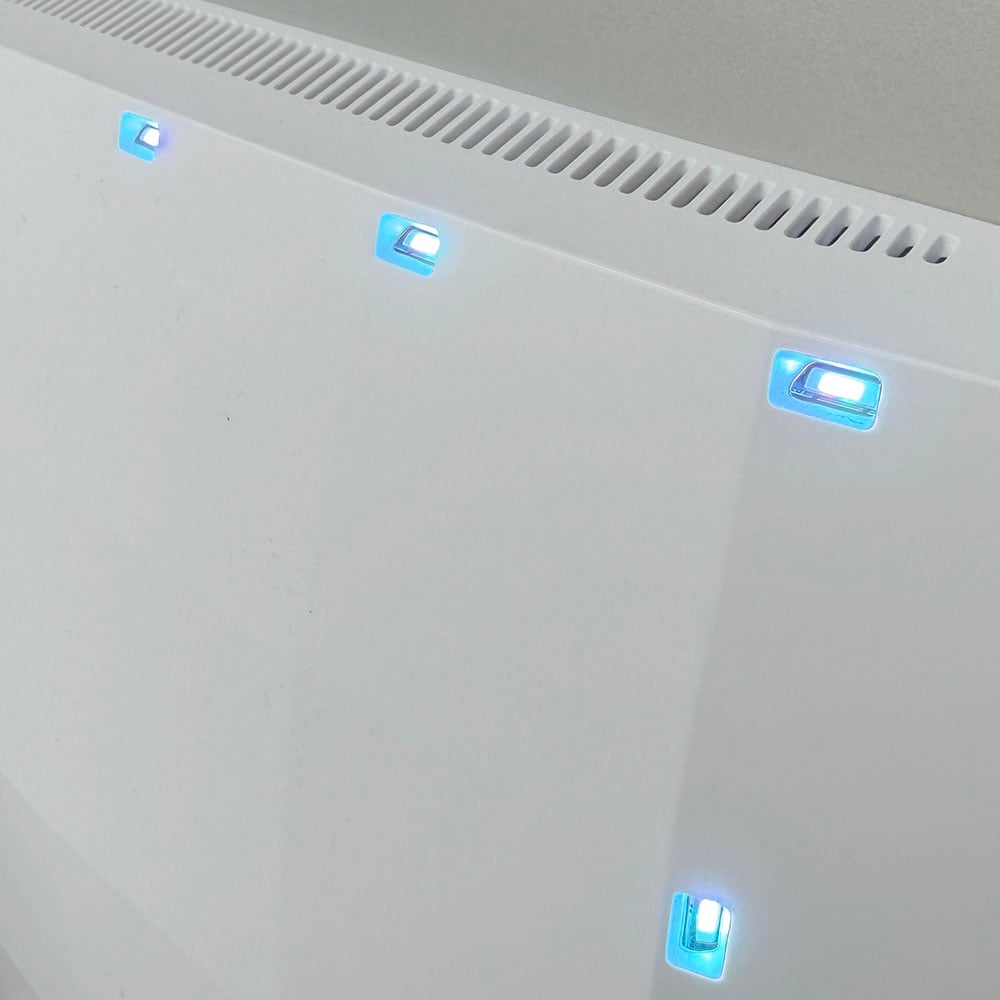
Outside of its surprisingly potent panel for its price, the Evnia 27M2N6501L separates itself from competitors with support for Ambiglow. This feature makes practical use of RGB LEDs on the back of the chassis, allowing to you to synchronise them with on-screen content to create a surrounding outer glow. While it’s not quite on the level of Ambilight you’ll find on TVs, it does add an extra touch of immersion to your viewing experience.
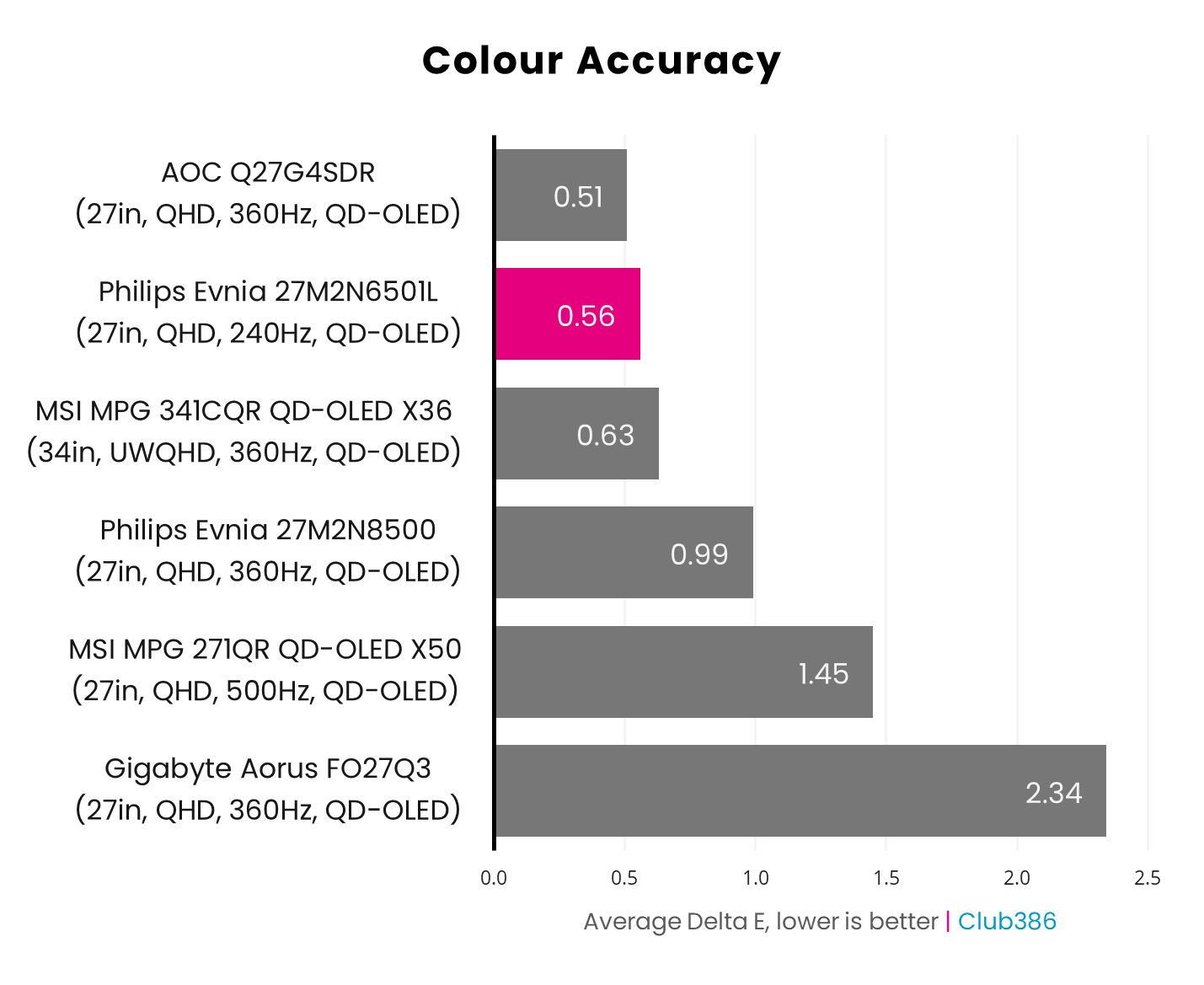
Out-of-the-box tuning for the Evnia 27M2N56501L is nothing short of excellent, with a 0.56 average Delta E and 1.10 maximum, effectively making this display perfect to the human eye. Gamut is similarly strong, and the monitor keeps pace with more-expensive offerings, covering 98% of the DCI-P3 space and 96% of Adobe RGB.
Per-pixel local dimming provides the Evnia 27M2N56501L with sublime contrast that only OLED screens can deliver, but low brightness does curb its impact. In SDR, the monitor peaks at a relatively dim 199nits in our testing, with HDR highlights proving similarly dull relative to more premium panels. As such, you’ll want to use this monitor in a darker environment where possible, but this recommendation broadly applies to all QD-OLED screens to a degree.
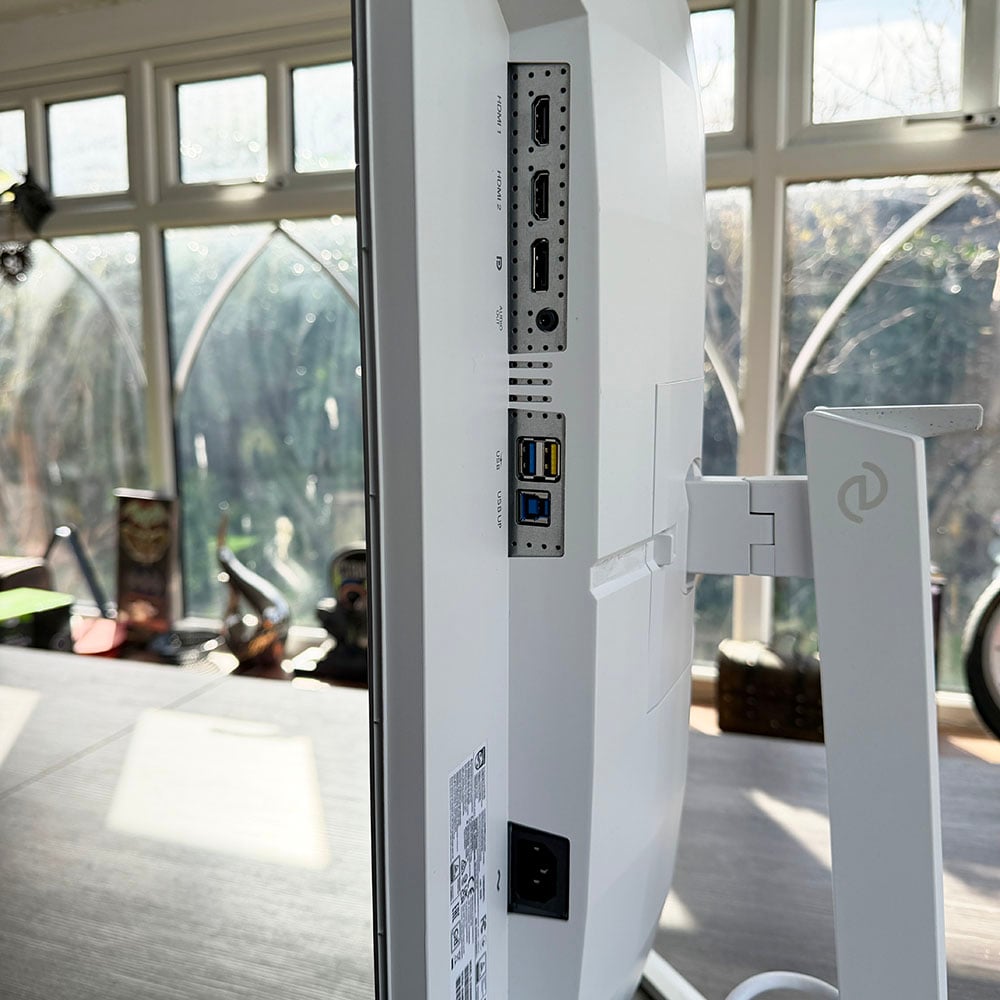
While the Evnia 27M2N6501L doesn’t arrive with a KVM switch, this monitor does pack two USB-A ports that connect to your PC via USB-B. Philips even includes faster charging capabilities via the yellow input, which can juice up devices at 7.5W.
On the subject of watts, the Evnia 27M2N6501L ranks among the least power hungry QD-OLED monitors we’ve tested. Peak consumption clocks in at a relatively frugal 60W which, while still higher than most LCDs, is on the lower side for self-emissive displays.
Read our Philips Evnia 27M2N6501L review for more in-depth analysis.
| Philips Evnia 27M2N6501L | |
|---|---|
| Screen size | 27in |
| Resolution | QHD (2560×1440) |
| Refresh rate | 240Hz |
| Response time | 0.03ms (GtG) |
| Panel technology | QD-OLED |
| Variable refresh rate | AMD FreeSync Premium Nvidia G-Sync compatible |
| HDR | Yes |
| Ports | 3.5mm audio-out (x1) DisplayPort 1.4 (x1) HDMI 2.1 (x2) USB-A, downstream (x2) USB-B, upstream (x1) |
| Speakers | None |
| Warranty | Three years (includes burn-in) |
Best ultra-wide
The best ultra-wide gaming monitor is the MSI MPG 341CQR QD-OLED X36. This 34in UWQHD/360Hz QD-OLED screen is among the very top displays on the market, ultrawide or otherwise. Providing you have the room to accommodate a panel of this size and deep enough pockets to meet its asking price, there are very few reasons not to consider this marvellous screen.

MSI MPG 341CQR QD-OLED X36
£999 / $1,099
Pros
- UWQHD/360Hz combo
- Penta Tandem QD-OLED panel
- DarkArmor film coating
- Great colour accuracy
- Versatile feature and port selection
Cons
- High power consumption
Club386 may earn an affiliate commission when you purchase products through links on our site.
How we test and review products.
In addition to boasting Penta Tandem technology and a DarkArmor film coating, which respectively improve brightness and ambient light rejection, the MPG 341QCR QD-OLED X36 doesn’t suffer from text fringing artefacts unlike prior generation models. This is thanks to a new ‘RGB Stripe’ subpixel layout, which enables crisp and clear rendering of text elements, benefitting games and general tasks alike.
Rocking a 3440×1440 resolution, the MPG 341QCR QD-OLED X36 provides a 33% increase in screen width without compromising sharpness relative to a standard QHD monitor. This 21:9 aspect ratio frequently proves transformative across first-person and third-person titles, as the wider field of view presents more of a game’s environment to you, heightening immersion. If you’re a fan of grand strategy or simulator titles, you’ll appreciate this effect all the more.
While some games don’t support UWQHD resolutions, shrinking down to 16:9 on the MPG 341QCR QD-OLED X36 where necessary doesn’t compromise the viewing experience. Unlike backlit alternatives, the surrounding bars that come into play after dropping to QHD are truly black thanks to per-pixel local dimming. They’re so easy to ignore, in fact, they can practically disappear altogether from your peripheral vision, particularly in dark rooms.
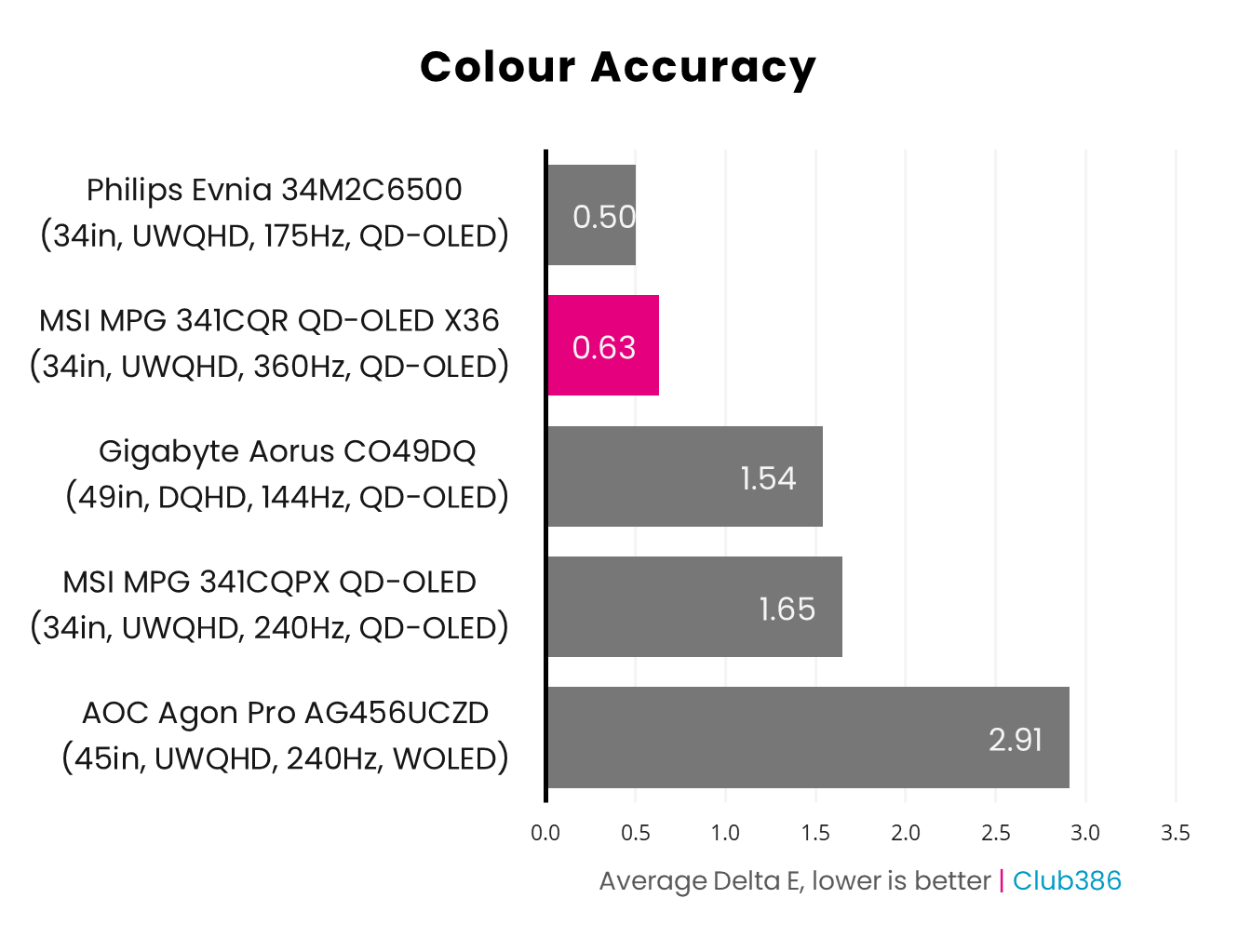
Gamut is expectedly top-notch on the MPG 341QCR QD-OLED X36. We’re talking 99% coverage of the DCI-P3 colour space and 95% of Adobe RGB. Accuracy is strong too, with an average 0.63 Delta E and 1.54 maximum, meaning any deviations are practically imperceptible to the eye.
Both SDR and HDR content looks fabulous on this monitor, but the 21:9 aspect ratio proves exceptionally good for cinematic content, removing the need for top and bottom black bars. Regardless of what you’re playing or watching, though, you can expect a suitably bright experience thanks to VESA DisplayHDR True Black 500 certification.
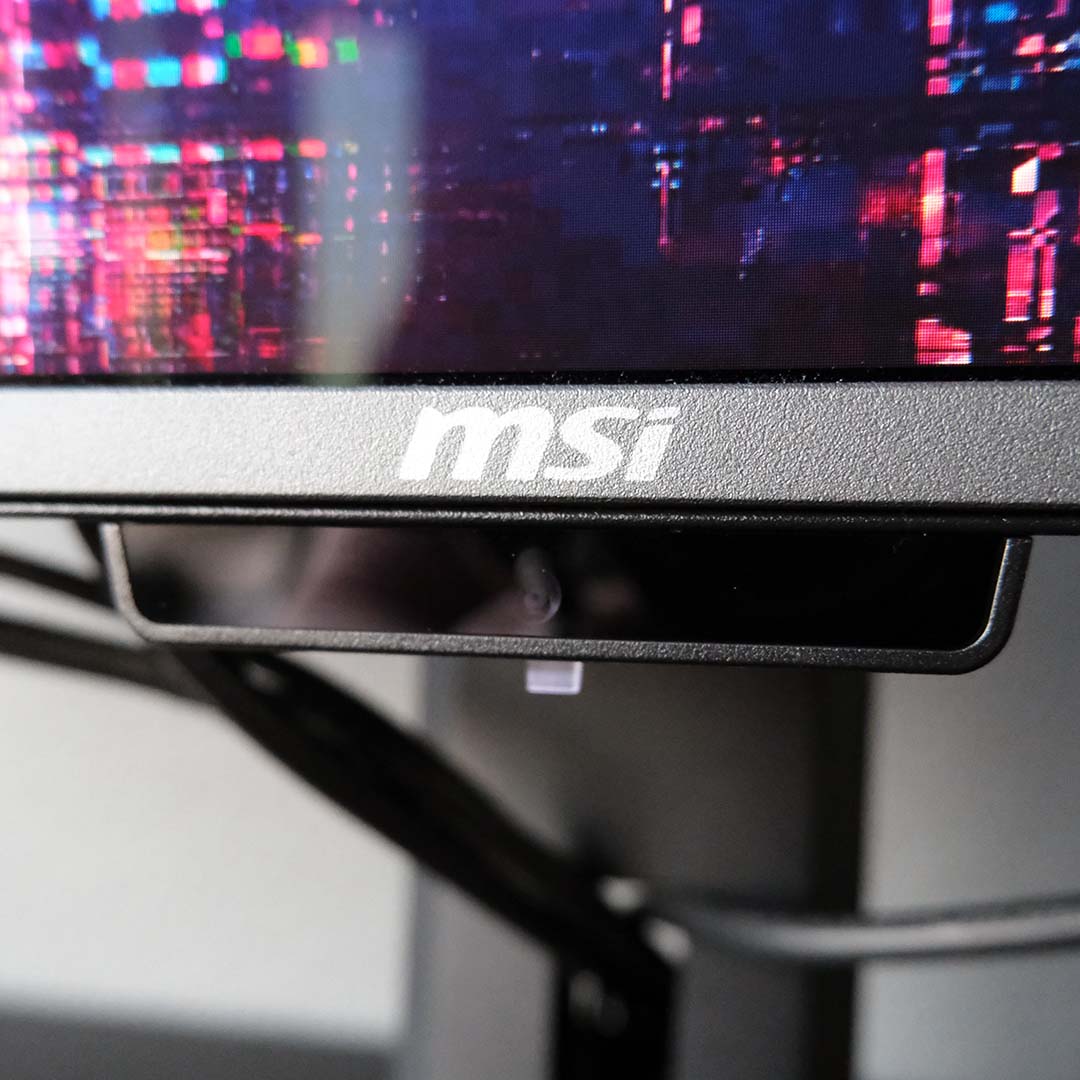
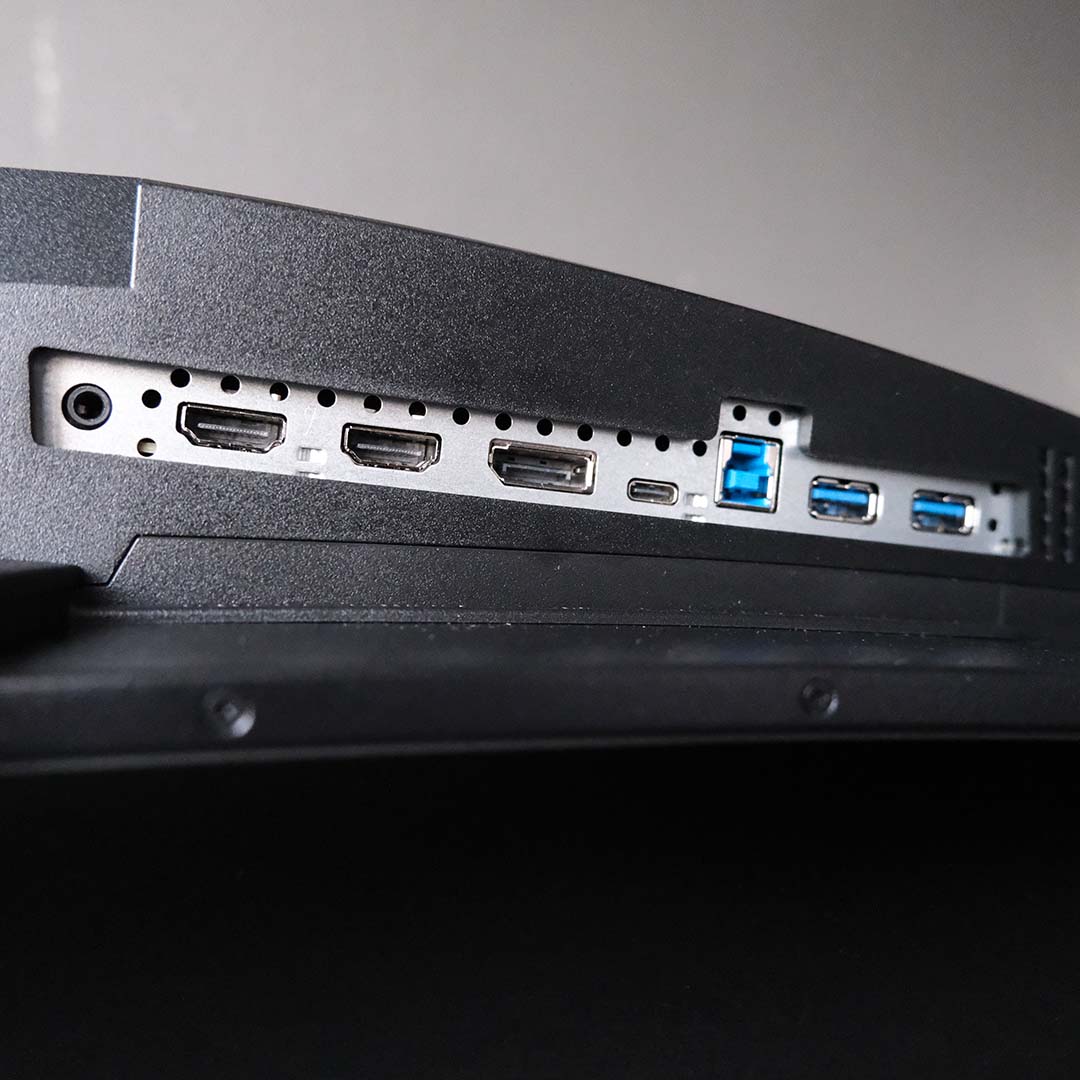
As a QD-OLED model in MSI’s MPG lineup, this monitor comes with all the bells and whistles you’d want from a premium display. In addition to a healthy selection of USB ports and a KVM switch, you also have a set of high-bandwidth display inputs available to you. That’s not forgetting the AI Care Sensor and OLED Care features to mitigate burn-in risk.
The only drawback the MPG 341QCR QD-OLED X36 faces is high power consumption, which can reach all the way up to 121W in our tests. This is par for the course with high-end QD-OLED panels, particularly those of an ultrawide persuasion, but modern WOLED screens are more efficient.
Read our MSI MPG 341CQR QD-OLED X36 review for more information, including loads of photos and all our colourimeter results.
| MSI MPG 341CQR QD-OLED X36 | |
|---|---|
| Screen size | 34in |
| Resolution | UWQHD (3440×1440) |
| Refresh rate | 360Hz |
| Response time | 0.03ms (GtG) |
| Panel technology | QD-OLED (Penta Tandem) |
| Variable refresh rate | Nvidia G-Sync compatible |
| HDR | VESA DisplayHDR True Black 500 |
| Ports | 3.5mm audio-out (x1) DisplayPort 2.1a (UHBR 13.5) (x1) HDMI 2.1 (x2) USB-A, downstream (x2) USB-B, upstream (x1) USB Type-C, with 98W PD and DP alt. (x1) |
| Speakers | None |
| Features | AI Care Sensor Console Mode KVM Switch MSI Mystic Light MSI OLED Care 3.0 |
| Warranty | Three years (includes burn-in) |
Best 240Hz IPS
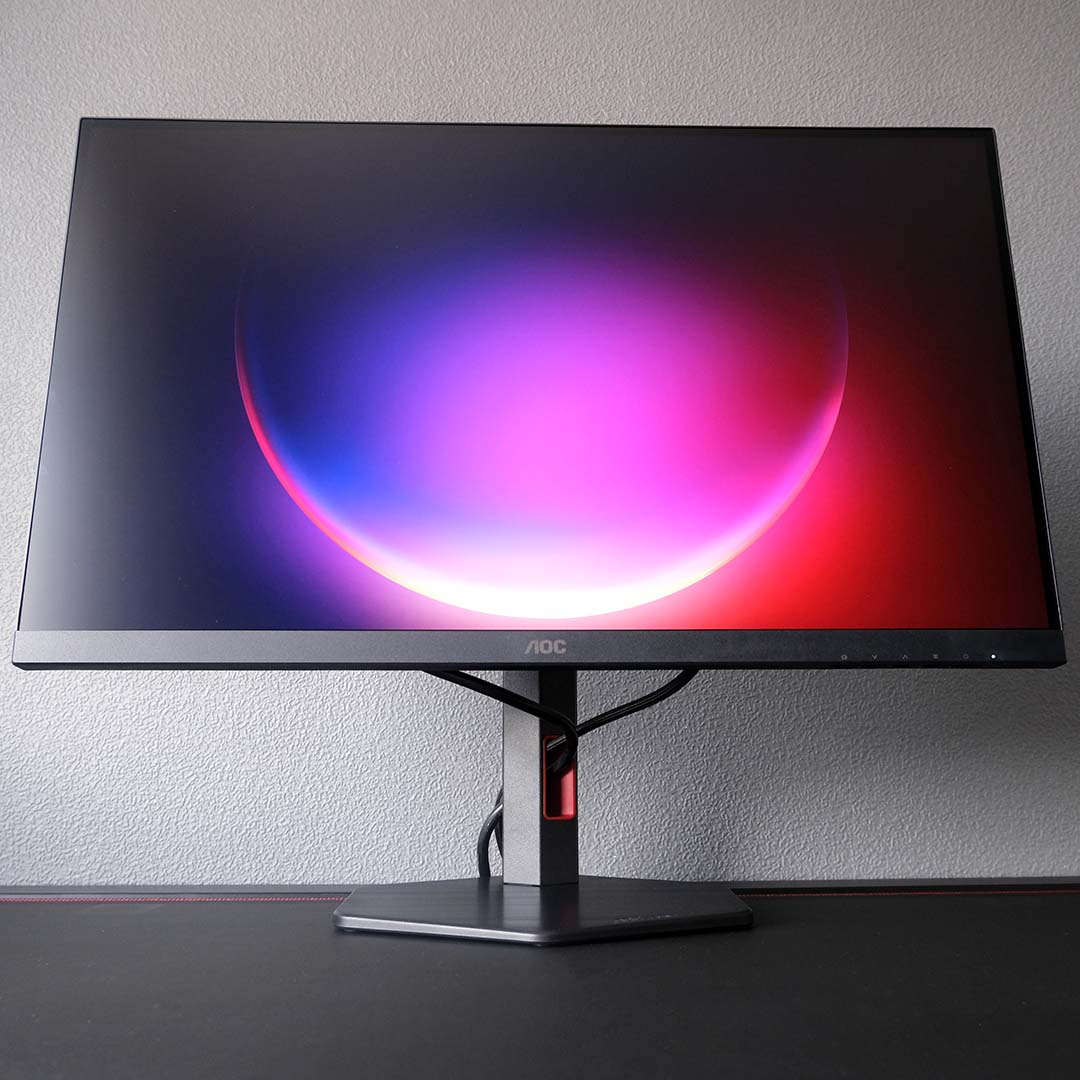
The best 240Hz IPS gaming monitor is the AOC Q27G4ZR. Retailing for just under £200 at the time of writing, this affordable display offers plenty of bang for your buck without compromising on the core qualities that make for a solid gaming screen.
AOC Q27G4ZR
£199
Pros
- QHD/240Hz combo
- Excellent brightness
- Solid colour accuracy
- Great value
Cons
- Relatively narrow colour gamut
- Mild uniformity issues
- No USB hub
Club386 may earn an affiliate commission when you purchase products through links on our site.
How we test and review products.
Sporting a 27in QHD panel, the AOC Q27G4ZR offers a great way to make the jump from smaller, softer, 24in FHD alternatives without breaking the bank. Truthfully, once you make the jump to a larger, sharper, monitor, it’s difficult to go back. The greater screen real estate makes for a more immersive gaming experience, while the higher resolution allows the details of games to come to the fore more readily.
Similarly, gaming at 240Hz on the AOC Q27G4ZR makes cheaper 60-120Hz alternatives feel slow by comparison. While hitting 240fps may seem difficult on humble hardware, both upscaling and frame generation make this target far easier to achieve. This is to say nothing of the lightweight performance demands of esports games, serving as easily accessible demonstrations of the refresh rate’s benefits, namely lower input lag and higher motion clarity.
The IPS panel at the heart of the AOC Q27G4ZR doesn’t compromise on brightness either, operating at up to 545nits in our testing. Of course, this comes with the usual caveats associated with this screen technology, namely middling contrast (1,410:1) and potential backlight bleeding. The latter drawback will manifest differently across units, but our sample exhibited mild deviances in luminance across its display.
While the AOC Q27G4ZR is bright, however, this monitor’s gamut is narrow relative to other backlit displays we’ve tested. The panel does cover 100% of the sRGB colour space, but only musters 86% of DCI-P3 and 80% of Adobe RGB. This isn’t a huge drawback in real terms, but this isn’t the best screen if you need to work with wide colour gamuts.
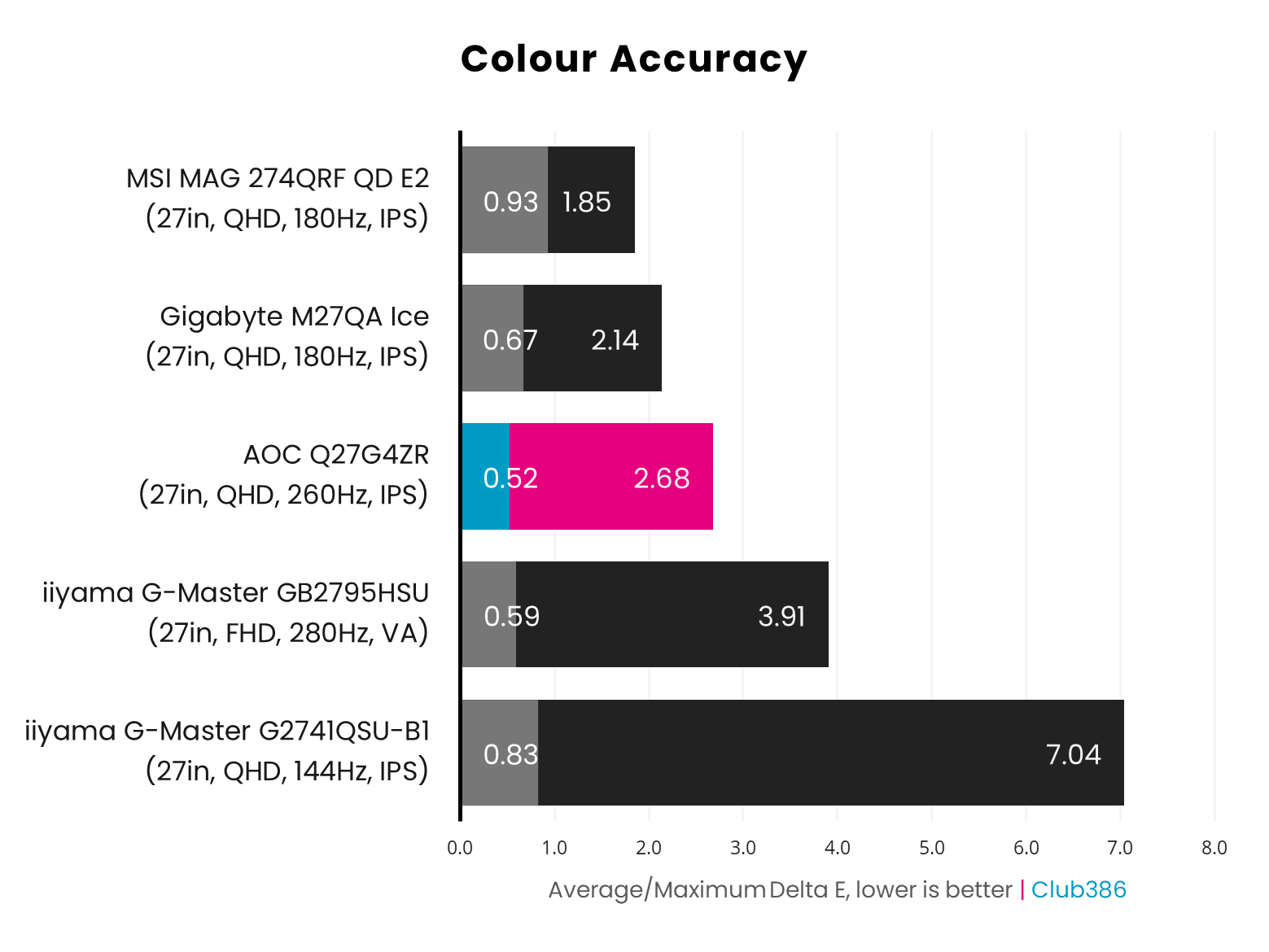
All that said, colour accuracy remains a strong point for this monitor. A 0.52 Delta E average is an excellent result for any display, let alone one that costs as little cash as the AOC Q27G4ZR.
Read our AOC Q27G4ZR review for more in-depth analysis.
| AOC Q27G4ZR | |
|---|---|
| Screen size | 27in |
| Resolution | QHD (2560×1440) |
| Refresh rate | 240Hz (260Hz OC) |
| Response time | 1ms (GtG) |
| Panel technology | IPS |
| Variable refresh rate | Nvidia G-Sync compatible |
| HDR | VESA DisplayHDR 400 |
| Ports | 3.5mm headphone output (x1) DisplayPort 1.4 (x1) HDMI 2.0 (x2) |
| Speakers | 2W (x2) |
| Warranty | Three years |
Best budget
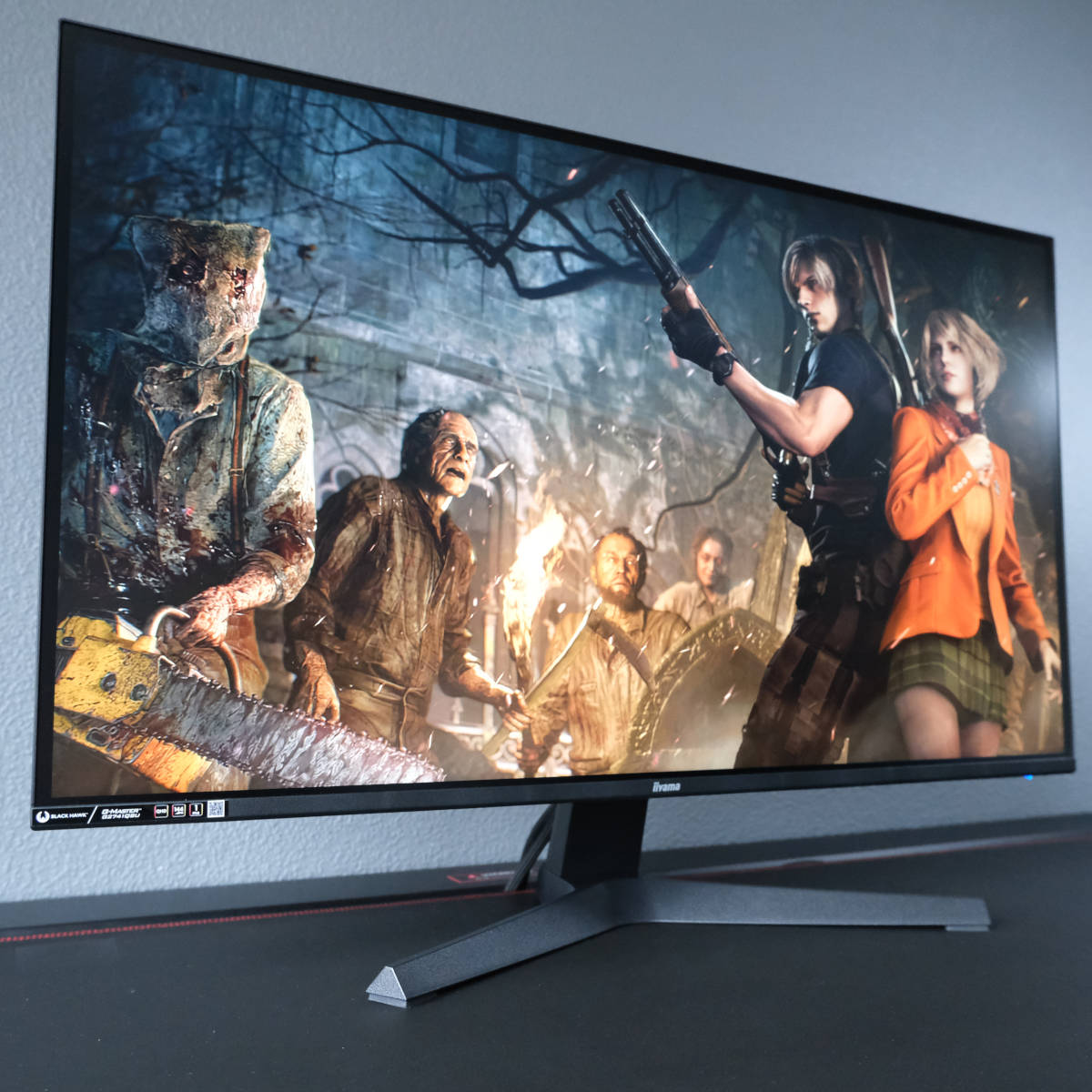
The best budget gaming monitor is the iiyama G-Master G274QSU-B1. At just under £150, this screen packs a whopping amount of value, offering a solid QHD (2560×1440) panel complete with a 144Hz refresh rate.
iiyama G-Master G2741QSU-B1
£149.99
Pros
- QHD/144Hz combo
- Bright IPS panel
- Good colour accuracy
- USB hub
- Fantastically low price
Cons
- Narrow colour gamut coverage
Club386 may earn an affiliate commission when you purchase products through links on our site.
How we test and review products.
The days of FHD (1920×1080) dominance are diminishing, as monitors like the G-Master G2741QSU-B1 show. There’s no need to settle for anything less than a big, sharp 27in QHD screen in today’s market, with these setups offering a markedly more immersive and detailed viewing experience than a 1920×1080 screen.
Much of the same mantra applies to refresh rates, with the G-Master G2741QSU-B1 offering an affordable route to 144Hz gaming. Such panels offer a markedly smoother experience relative to ~60Hz screens, improving motion clarity and responsiveness.
One factor to note, however, is that the stand is only tilt-adjustable, so you can’t alter the height or swivel the screen to your liking. If you’d like a more flexible stand, the alternative GB2741QSU-B1 model offers the same panel, but with a stand that accommodates height, swivel, and pivot adjustments, for an extra £10.
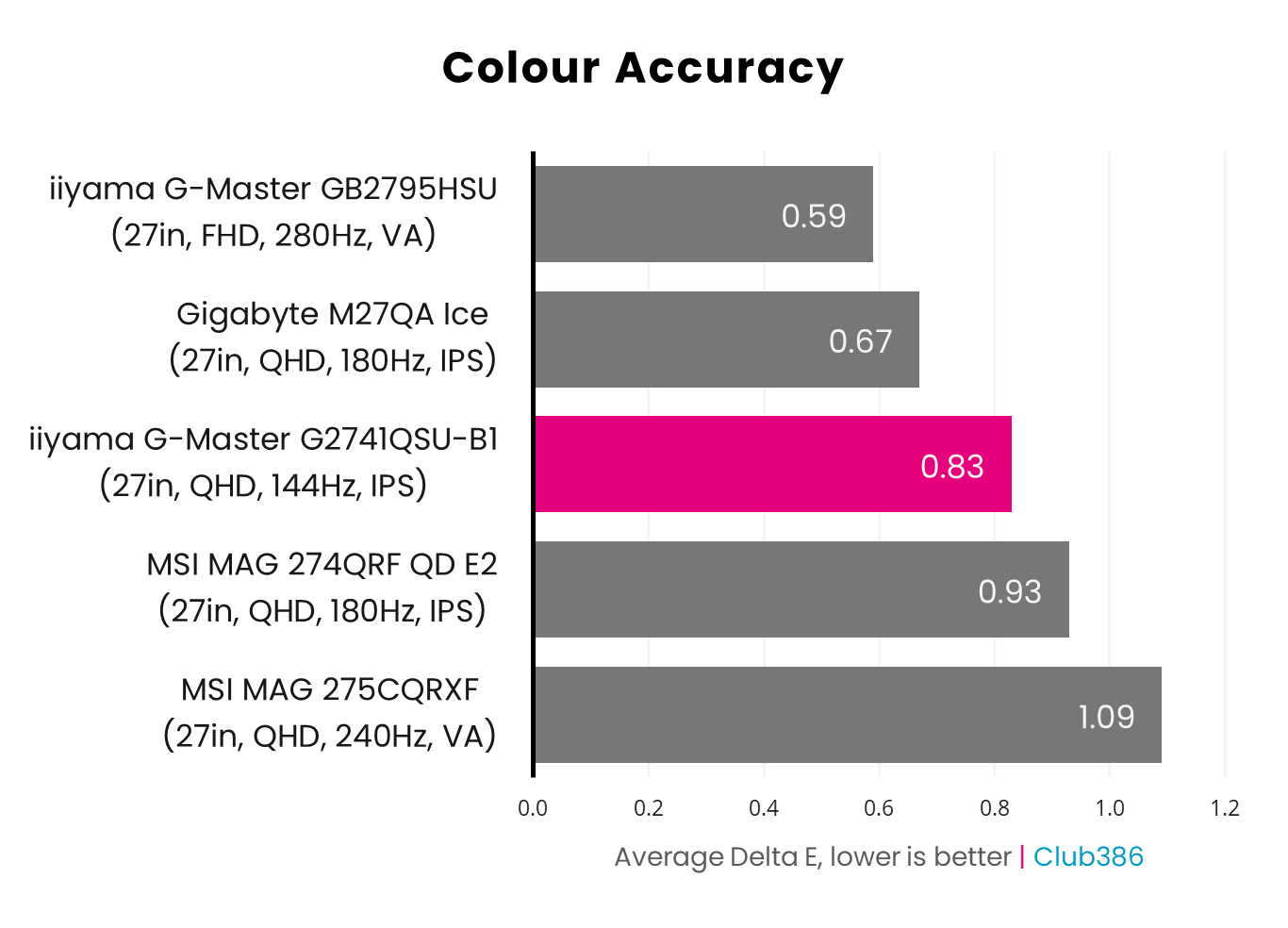
Colour accuracy is surprisingly good for such an affordable monitor. The GB2741QSU-B1 arrives out the box with a 0.83 average Delta E, well below our ideal target of 2.0.
That said, this screen doesn’t have a particularly wide gamut, covering just 74% of the DCI-P3 colour space and 72% of the Adobe RGB. If you rely on these wide gamuts for your work, then this screen isn’t for you.
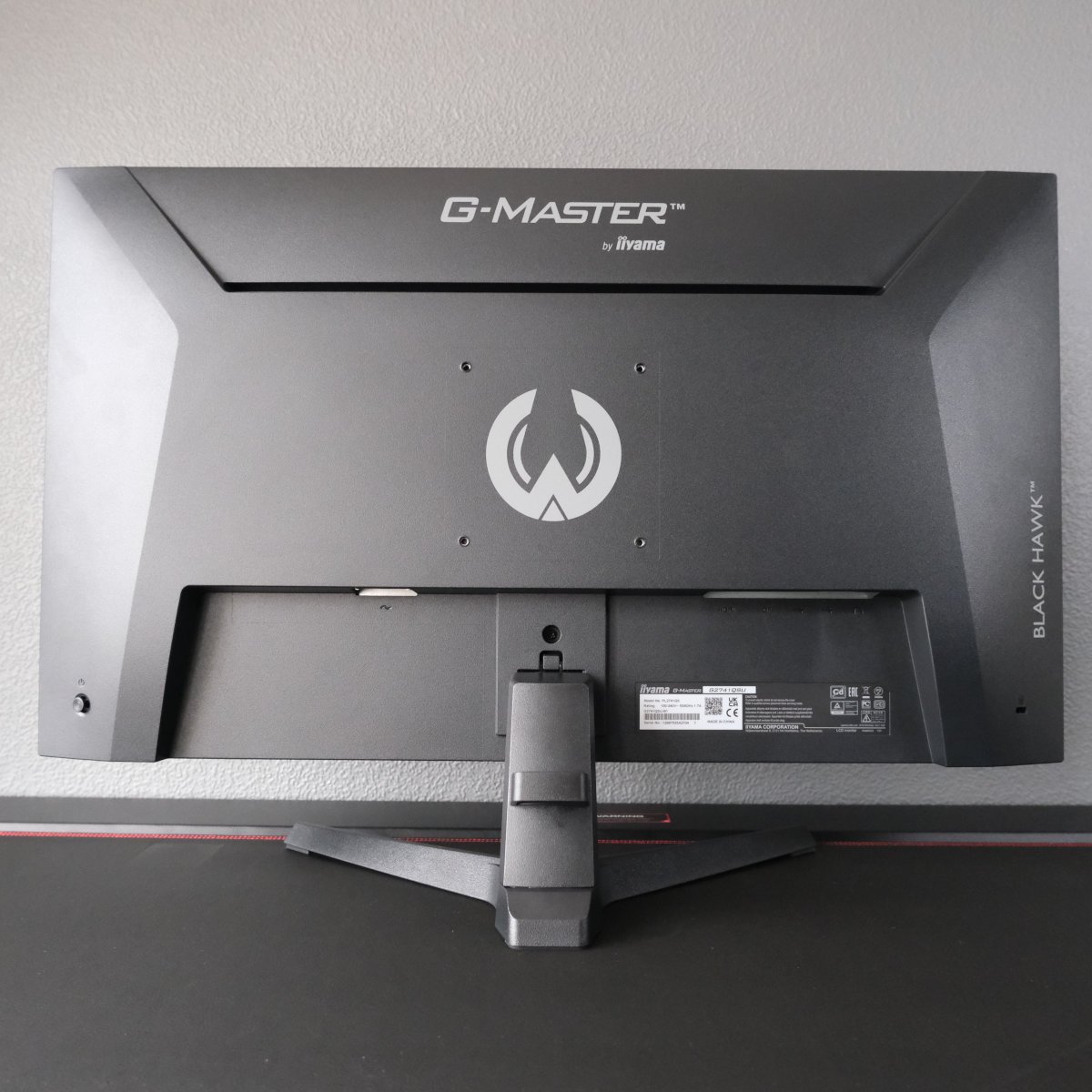
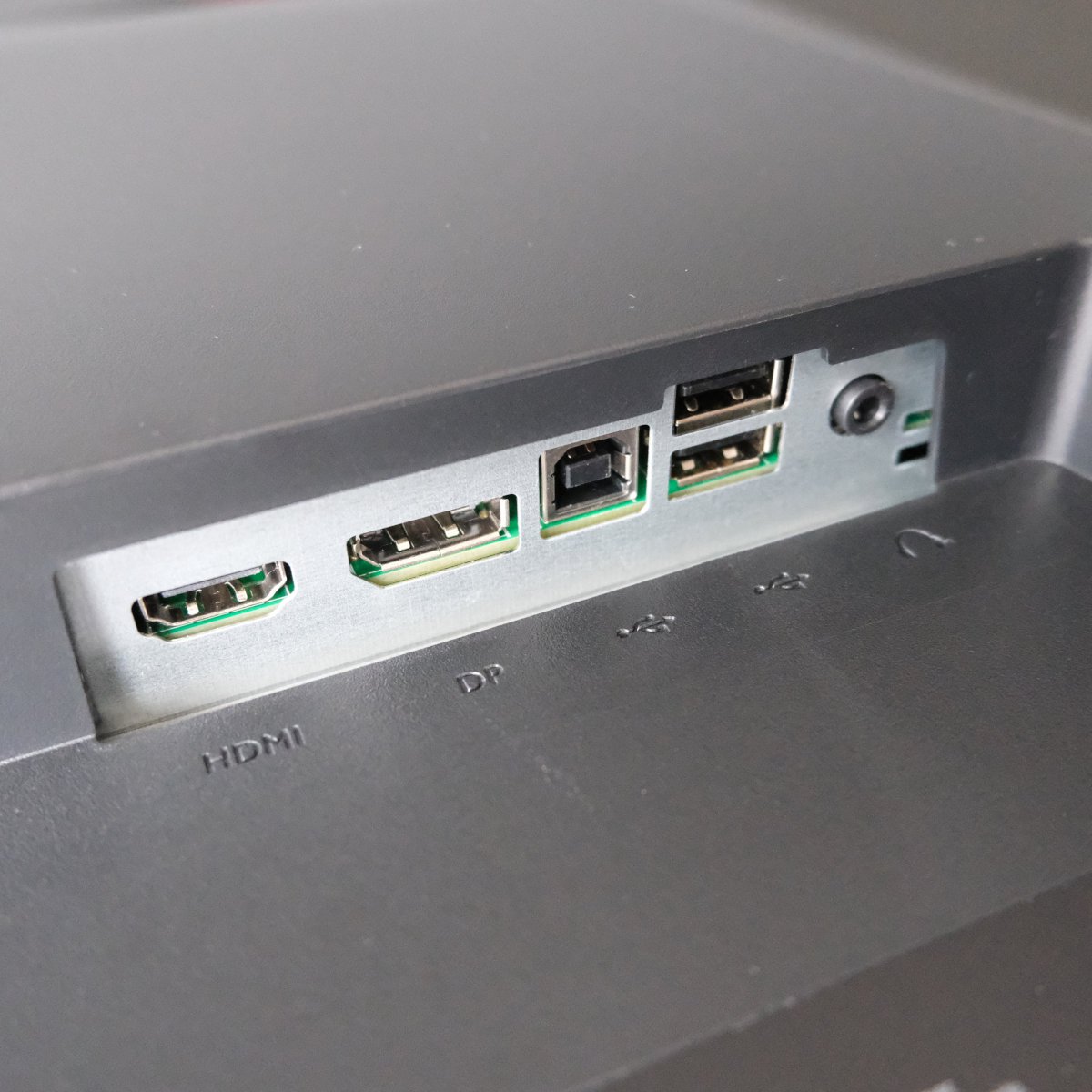
Despite the low price of the monitor, iiyama even manages to squeeze in a built-in USB hub. The ports are on the slower side at 480Mb/s, relative to the 5Gb/s you’ll find on more expensive screens. Nonetheless, they’re a great perk that further bolsters the G-Master G2741QSU-B1’s value.
For more information, read our full iiyama G-Master G2741QSU-B1 review.
| iiyama G-Master G2741QSU-B1 | |
|---|---|
| Screen size | 27in |
| Resolution | QHD (2560×1440) |
| Refresh rate | 144Hz |
| Response time | 1ms (MPRT) |
| Panel technology | IPS |
| Variable refresh rate | AMD FreeSync Nvidia G-Sync compatible |
| HDR | No |
| Ports | 3.5mm headphone output (x1) DisplayPort 1.4 (x1) HDMI 2.0 (x1) USB 2.0 Type-A (x2) USB 2.0 Type-B (x1) |
| Speakers | 2W (x2) |
| Warranty | Three years |
FAQ
What is OLED burn-in?
OLED burn-in describes permanent image retention, usually manifesting as silhouettes on the screen. This side effect occurs because of the organic film, unique to the panel technology, deteriorating under stress, typically from displaying static content for prolonged periods of time.
Most monitor manufacturers include burn-in protection in their display software, while also including damage from the phenomenon as part of standard warranty coverage. However, there are other steps you can take to prolong panel lifespan, such as consciously reducing the amount of static content you display on the panel, as well as using dark mode and screen savers.
Should I use DisplayPort or HDMI?
Deciding between DisplayPort or HDMI depends on several factors. Typically, we recommend using the port with the highest available bandwidth to maintain the best picture quality and most stable communication between your monitor and PC. However, technologies like Display Stream Compression (DSC) will plug the gap between connections where possible. Don’t be afraid to try each input to see which offers the better resolution and refresh rate combo.
It’s also important to understand what display outputs are available on your graphics card. For example, if your monitor has DisplayPort 2.1 and HDMI 2.1 ports but your GPU only has DisplayPort 1.4 and HDMI 2.0, you won’t be able to push beyond the limitations of the slowest port. Current-generation cards carry the latest standards, but we recommend checking your specs sheet if you’re using an older model.
Finally, don’t forget to check you’re using suitable cables, as every part of the display chain matters. To play it safe and remove any guesswork, stick to the ones that come with your monitor.
